
In this guide, you’ll learn everything you need to know to train an effective AI model with V3.
Training a LetzAI model requires a thoughtful approach to the data you provide. The quality and curation of your dataset determine the capabilities and quality of your LetzAI model. A well-crafted dataset can elevate your model's performance while a poorly curated dataset can limit it.
So, what is model training?
Model training is the process of teaching LetzAI what a person, product, or style looks like. Once a model is trained, you can tag it in your prompt by using the “@” symbol and use it in your image generations.
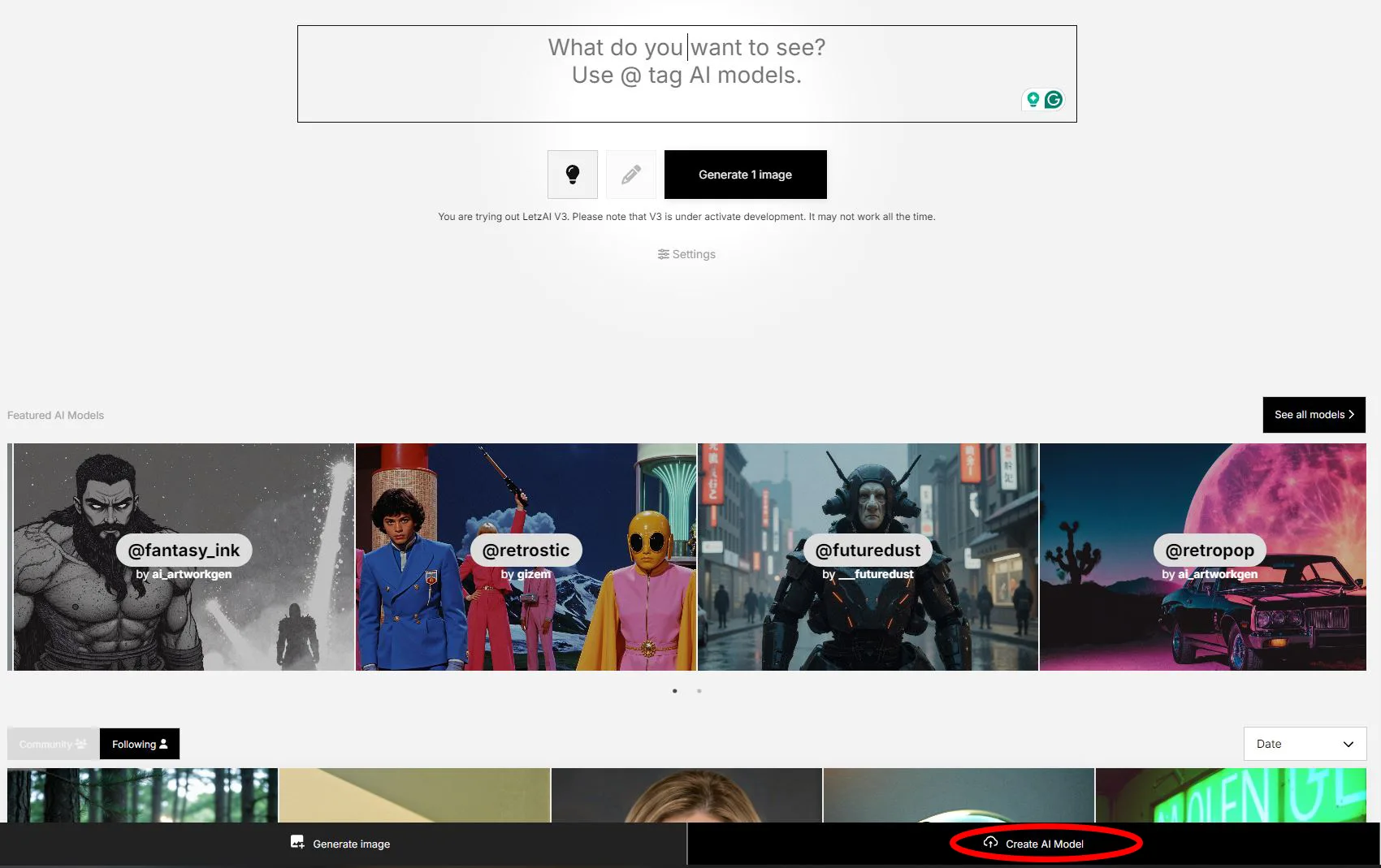
To train a model, click “Create AI Model” and upload your dataset of images of the subject you want the model to learn about.
Note: Once the model is trained, you need to activate it to be able to use it.
Important
LetzAI can only generate images based on what it learned from your dataset. If the dataset is missing certain data, LetzAI will invent/hallucinate the missing information.
For example, if you want to generate images of your product from the side, but the dataset only contains pictures of the product from the front, LetzAI will fill in the blanks, so to speak.
What Makes a Good Dataset?
1. Diverse Backgrounds
Use images with a variety of different backgrounds. This helps the model recognize the subject or product in different environments and contexts. By exposing your model to a range of backgrounds, it will better understand the nuances of the subject, like its size in relation to other objects for example.
2. Different Angles and Perspectives
If you want your model to be able to work from different angles, it's essential to submit enough data to learn from. This means including images of the subject from various viewpoints, such as front, side, and back. However, if you only want to get pictures from the front, don't unsettle the model with additional angles.
3. Varied Lighting Conditions
In addition to diverse backgrounds and angles, it helps to include images taken under different lighting conditions. This could include natural light, artificial light, or any other lighting scenarios relevant to your subject or product.
4. Minimum 10 Training Images
We recommend a minimum of 10 different training images per subject or product. While it's possible to train a model with fewer images, this may compromise its overall quality and flexibility.
Providing at least 10 distinct images offers several benefits:
- Gives the model sufficient data to learn from and recognize patterns.
- Reduces the risk of becoming too inflexible and biased.
- Helps to minimize the impact of small unwanted details, such as earrings, necklaces, or tattoos on people, which can lead to artifacts or biases that are difficult to remove later.
The quality of the images is just as important as the quantity. A smaller set of high-quality images can be more effective than a larger set of low-quality images.
5. Different Shot Types
To give your model a comprehensive understanding of the subject or product, include the following shot types in your dataset (if possible):
- Full Subject/Product Shots: Ensure that the entire subject or product is visible in some images. These shots are crucial for the model to learn the overall structure and proportions of the subject or product.
- Mid-Range Shots: Provide images that capture the subject or product from a medium distance. These help the model understand the context and relative sizing of the subject or product, as well as its relationship to the surrounding environment.
- Close-Ups: Submit detailed close-up images that focus on specific features or parts of the subject or product. These help the model learn fine details, textures, and patterns, which are essential for generating high-quality images.
By including a range of shot types, you'll provide your model with a more complete understanding of the subject or product, enabling it to generate images that are accurate, detailed, and visually appealing. This is most important for people, however, it can also be important for certain products.
7. High-Quality Images
All images in your dataset should have a minimum resolution of 1024x1024, with a clear and sharp definition. Avoid using low-quality images that are blurry, pixelated, or contain artifacts, as these can mislead the model and lead to poor performance. You should also make sure that the subject or product is in sharp focus in every image.
Specific Guidelines for Models of People
To help the model learn to recreate a person consistently, choose images where the subject's appearance remains consistent across all images. Otherwise, in the worst case, the model learns an average appearance that does not resemble any of the pictures.
Dataset Examples
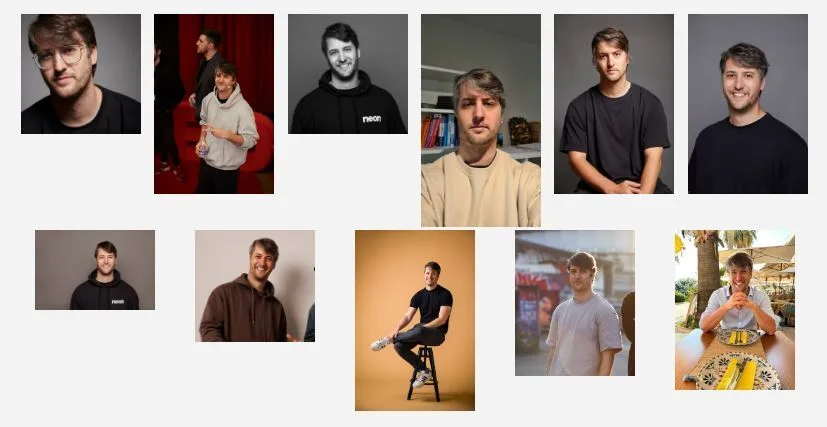
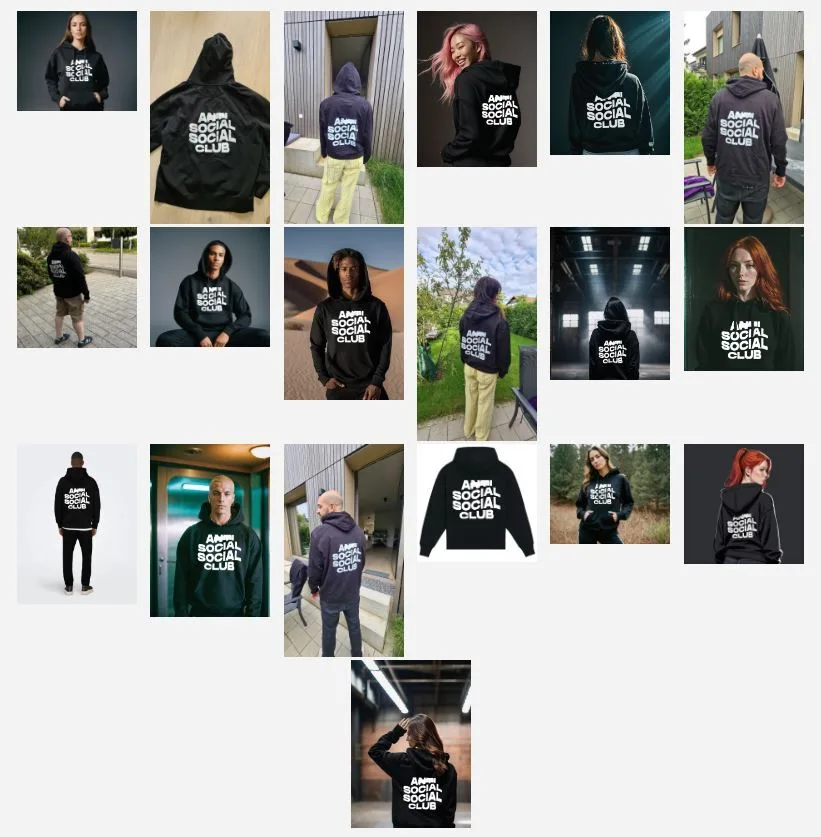
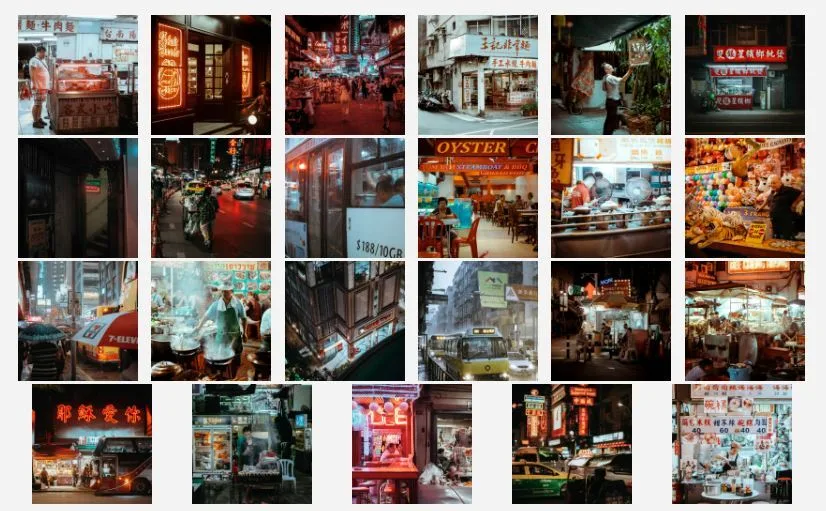
Here are some example datasets to give you a better idea of what a regular dataset should look like.
Person Dataset Example:
Object Dataset Example:
Style Dataset Example:
Model Types
Setting the right types for your models is almost as important as the dataset itself. The types you choose directly impact the quality and consistency of the images the model generates. Well-thought-out model types can make your model more accurate, while poorly selected ones can lead to inconsistent or unusable results.
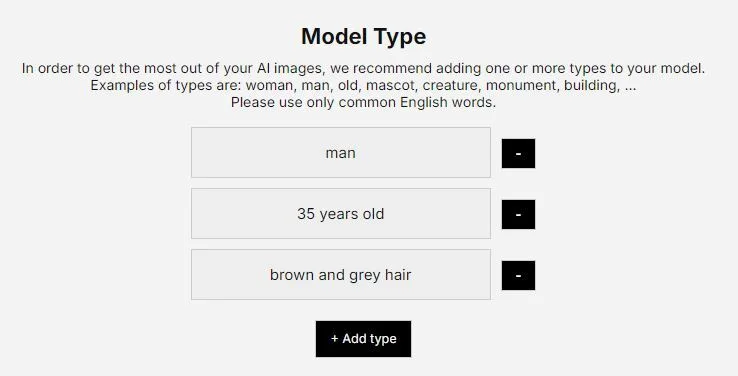
When training a model, you need to define at least one type. These types describe the essential traits of your subject, product, or style that should remain consistent in every generated image.
What Are Model Types?
Model types are keywords or phrases that describe the most essential and unique characteristics of your subject or product. Think of these as a way to tell the model, “These are the most important things to remember about this object.”
For a person's model, you would use types related to gender, age, hair color, body shape, accessories, etc.
Why are Model Types so important?
The types you choose shape the way the AI understands and generates images. These types not only guide the model but also set the boundaries of what the model can and can’t do. Poorly chosen types can confuse the model, limiting its ability to generate accurate or consistent images.
- Impact on Image Generation: Once you define a model type, it will influence every image the model creates. For instance, if you add “wearing glasses” to a person model, it will be nearly impossible to generate images of that person without glasses later.
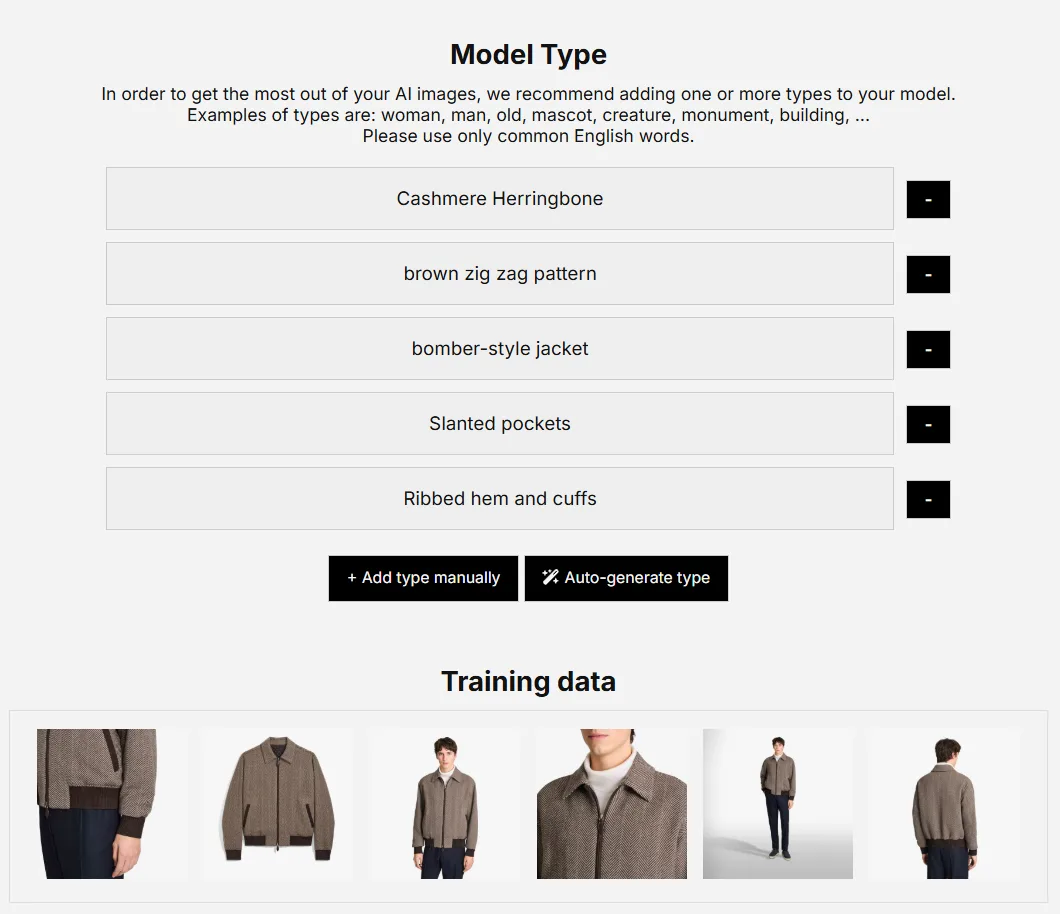
- Focus on Unique Characteristics: Highlight what makes your subject or product special. For example, instead of just saying “jacket,” describe it as “brown herringbone bomber jacket with ribbed cuffs.”
- Avoid Unnecessary Details: Only include information essential and unique to the subject. Irrelevant or overly specific types (e.g., “standing near a tree”) can limit your model’s flexibility.
For a product model, you might define types describing its color, type of object, material, etc.
Ask for Help
If you’re unsure how to describe your product or subject, use the "Auto-Generate" feature or ask an LLM like ChatGPT for detailed, descriptive suggestions based on your product’s characteristics.
Experiment and Adjust
Finding the perfect model types takes experimentation. Start by generating images with minimal or no prompts to see what the model has learned. Then, refine the types by adding specific keywords to address any missing or unclear details. For example, if the type “jacket” leads to confusion (e.g., generating a suit jacket), specify it further with “bomber-style jacket” to ensure accuracy.
Model Training for Brands
We understand that brands have unique needs when it comes to training LetzAI models of their ambassadors, products, or style. LetzAI offers tailored fine-tuning services that cater to these needs. We'll work with you to develop customized models that meet your business goals and objectives.
If you're interested in learning more about our model training services for businesses, please contact us at contact@letz.ai.