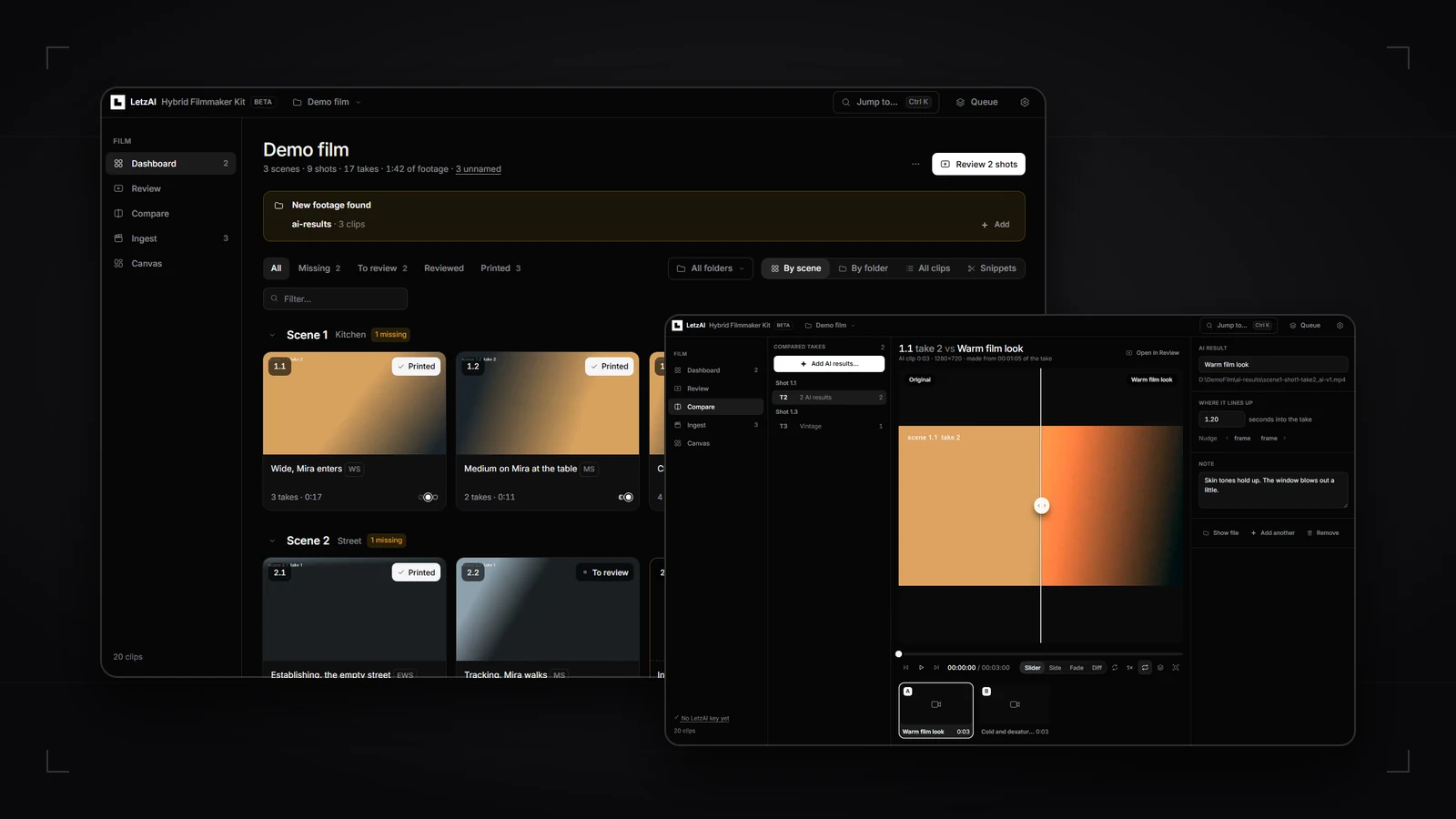
Hybrid filmmaking starts on set with a real camera, real actors, and a real slate — and continues in AI, where you restyle shots, extend environments, generate missing pickups, or test visual directions around the takes you actually shot.
Until now, the bridge between a camera card and an AI workspace has been mostly manual glue work: folders full of A001_C047.mov files, slates logged by hand, 30-second selects cut in an editing timeline just to upload them, no easy way to check an AI render frame for frame against the camera plate, and no single view of which shots from the shot list are still missing.
Today we are releasing the LetzAI Hybrid Filmmaker Toolkit (the LetzAI Hybrid Filmmaker Kit) in public beta as a free, MIT-licensed open-source app on GitHub.
It runs locally on your own machine next to your footage — on Windows, macOS, and Linux — so you can ingest, name, and review a shoot offline, then send only the snippets you pick straight to LetzAI Canvas.
Local first, zero dependencies, non-destructive
Raw camera cards are heavy. Uploading hundreds of gigabytes of 4K ProRes or HEVC across several shoot days just to watch dailies and pick takes makes no sense.
The Hybrid Filmmaker Kit runs locally on 127.0.0.1 using Node.js 20+ and ffmpeg, with zero npm dependencies — there is not even an npm install step. Your footage stays in your own folders, and you do not need an account or an API key to ingest, organize, and review a film.
- Your originals are never altered. Ratings, print flags, notes, markers, in/out points, and AI slate readings live in a single
letzai-kit.jsonfile in your project folder, fingerprinted so your notes follow a clip even if it is renamed. - Instant 4K and HEVC scrubbing. When camera files cannot play directly in a browser, the kit uses your camera's own
Proxyfolder automatically or builds lightweight 720p H.264 review copies in the background (hardware-accelerated where available). - Private by default. API keys stay in your local user config folder — never inside the shared film folder — and nothing leaves your computer unless you explicitly run AI slate reading or upload snippets to LetzAI.
See your whole shoot — and every missing shot
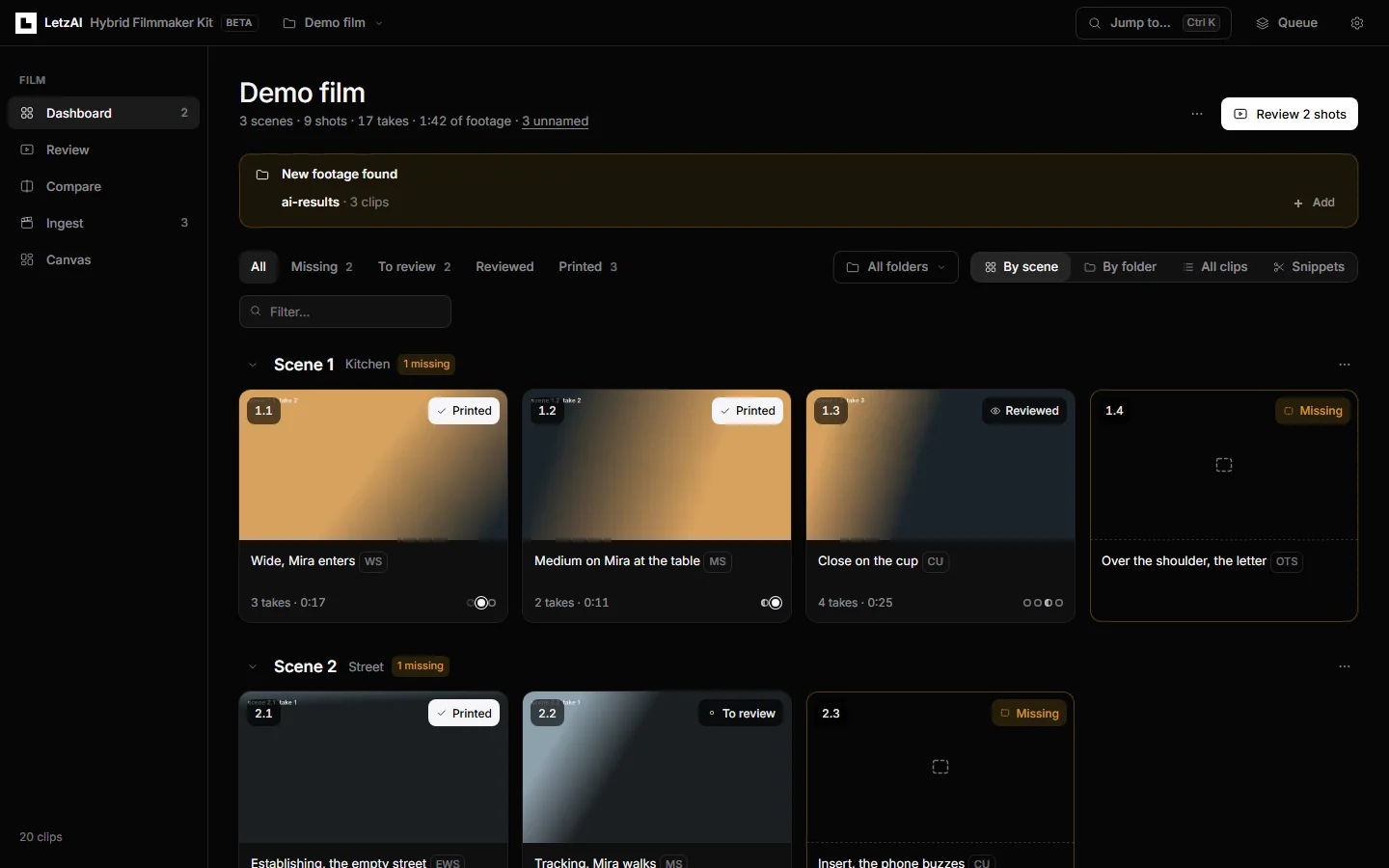
Type or paste a plain-text shot list — one shot per line, with optional shots prefixed by ? and shorthand ranges like 6.5-8 — and the Dashboard maps every camera clip onto your plan. Even before you write a shot list, the kit spots numbering gaps automatically: if you have shots 1, 2, and 4 on disk, shot 3 is flagged as missing.
Scene 1 - Kitchen
1.1  Wide, Mira enters              [WS]
1.2  Medium on Mira at the table    [MS]
1.3  Close on the cup               [CU]
?1.4 Over the shoulder, the letter  [OTS]
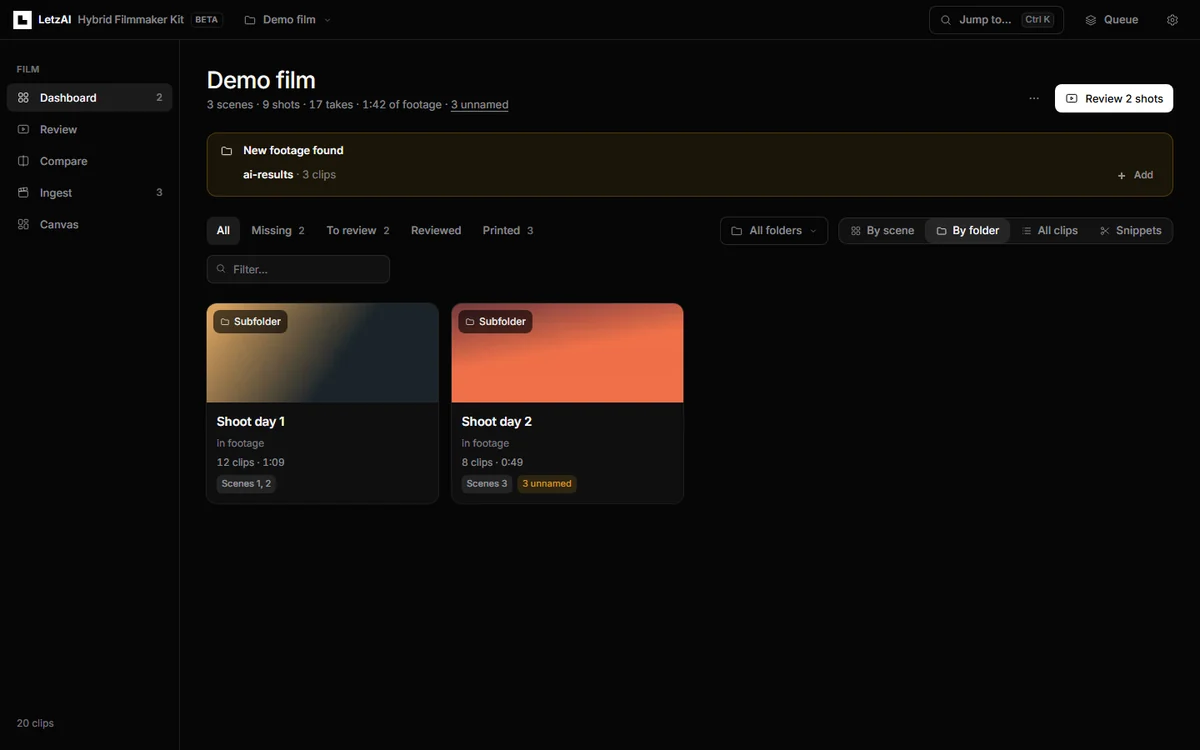
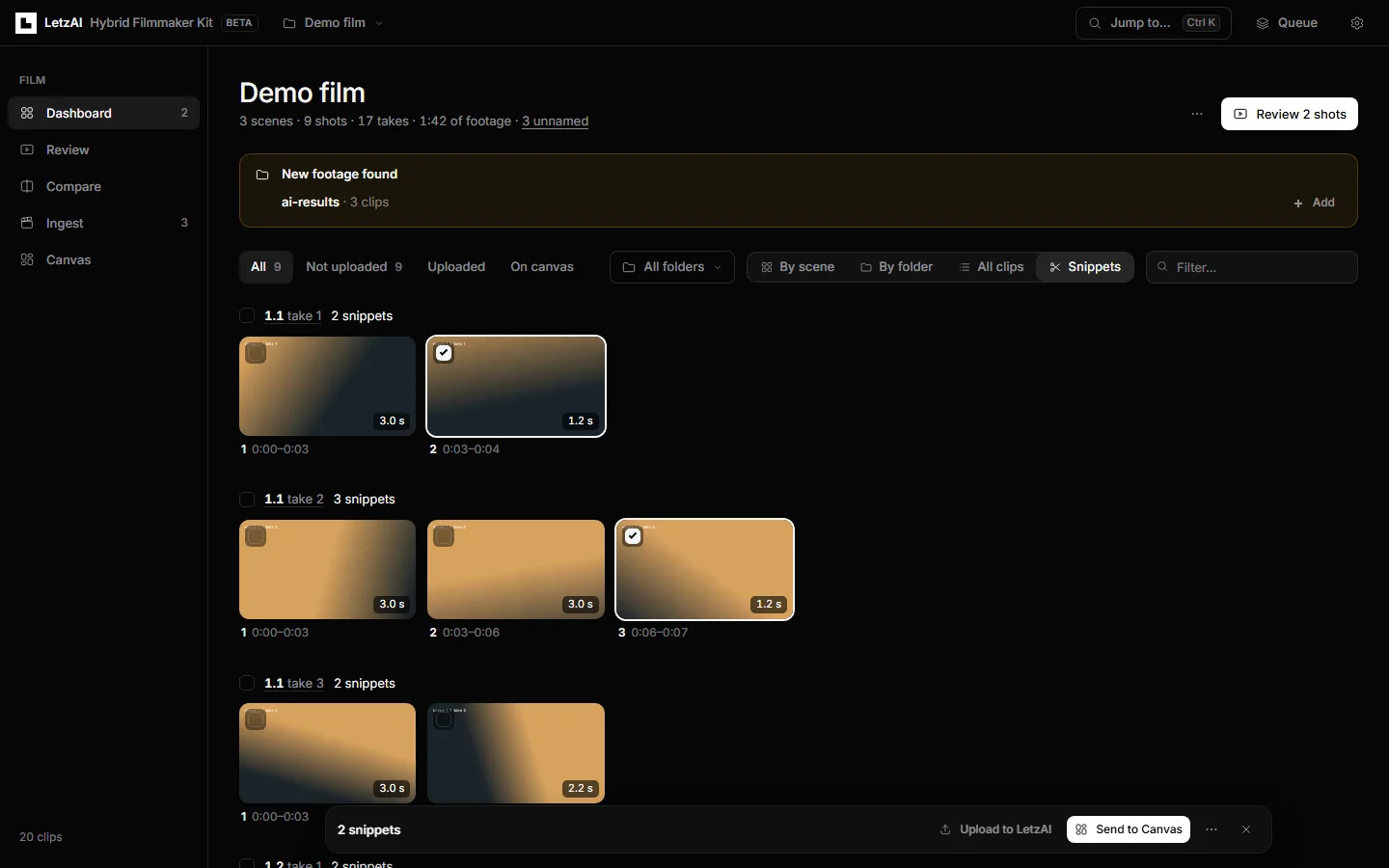
Switch between By scene (coverage cards), By folder (one card per shoot day, with automatic alerts whenever new clips or an ai-results folder land on disk), All clips, and Snippets, or export CSV coverage reports from the menu.
Fast ingest and AI slate reading
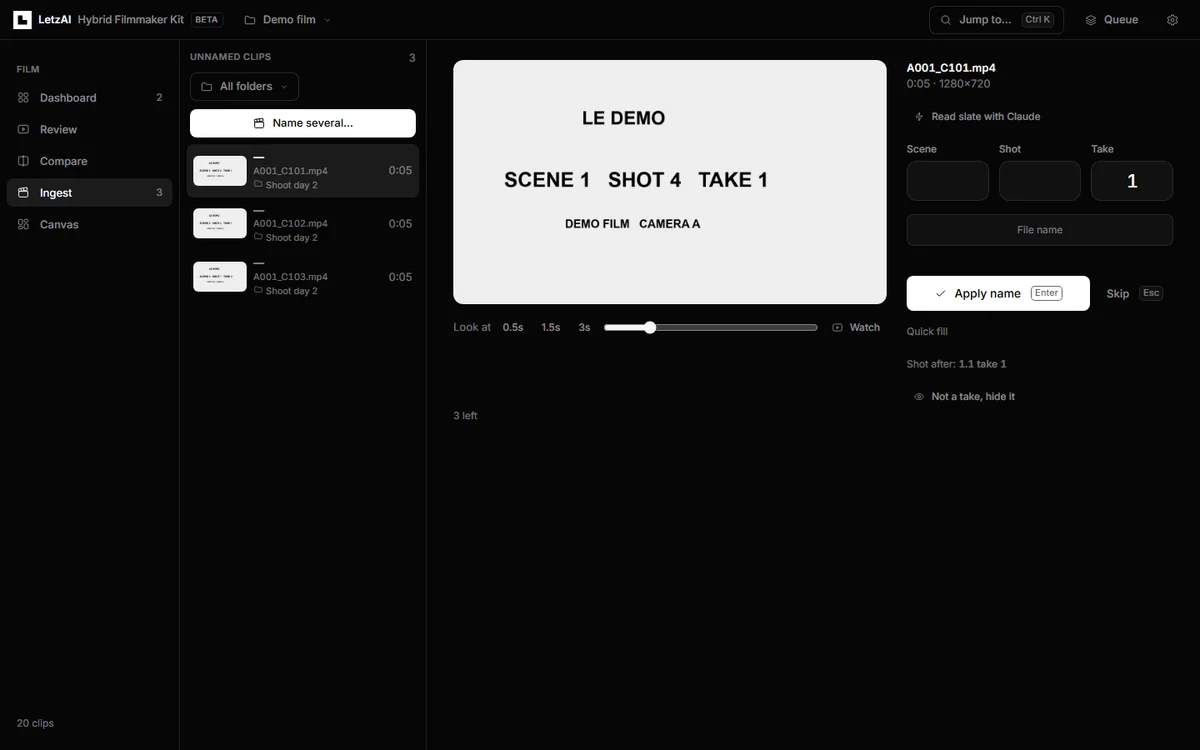
Turning a card full of A001_C101.mp4 files into clean MyFilm-scene1-shot4-take1.mp4 names is usually the slowest hour after wrap. The kit gives you two ways through it:
- Keyboard-first manual naming. Ingest displays a large frame from the start of each unnamed clip (with one-click jumps to 0.5s, 1.5s, or 3s if the clapperboard came late). Type Scene, Shot, and Take, press
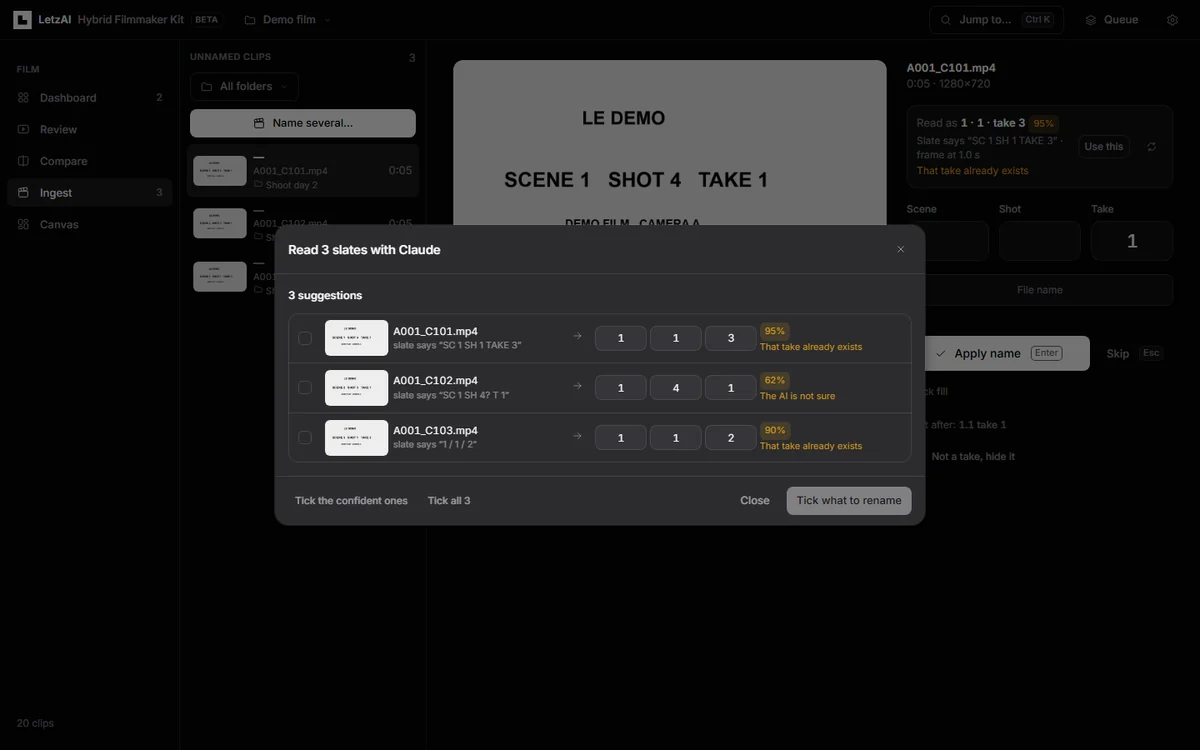
Enter, and move straight to the next clip — or batch-rename a whole run of takes at once. Every rename moves the take, its camera proxy, and its cut snippets together, andCtrl+Zundoes any single rename or batch cleanly. - AI slate reading with Claude, ChatGPT, or Gemini. Paste your own Anthropic, OpenAI, or Google Gemini API key and let vision models read the physical slates while you verify the table. The kit sends roughly six frames from the head of each clip (never your file names), reports confidence per clip, and flags duplicates, uncertain slates, out-of-order take numbers, or scenes missing from your shot list before a single file is renamed.
Because it uses your own provider key directly, AI slate reading costs roughly $1.50 to $3 for a 200-clip shoot day (~$0.007 to $0.016 per clip with recommended models). Every batch shows a price estimate before sending anything, tracks your monthly spend, asks twice above a configurable threshold, and stops automatically if your monthly budget is reached.
Frame-accurate review from the keyboard
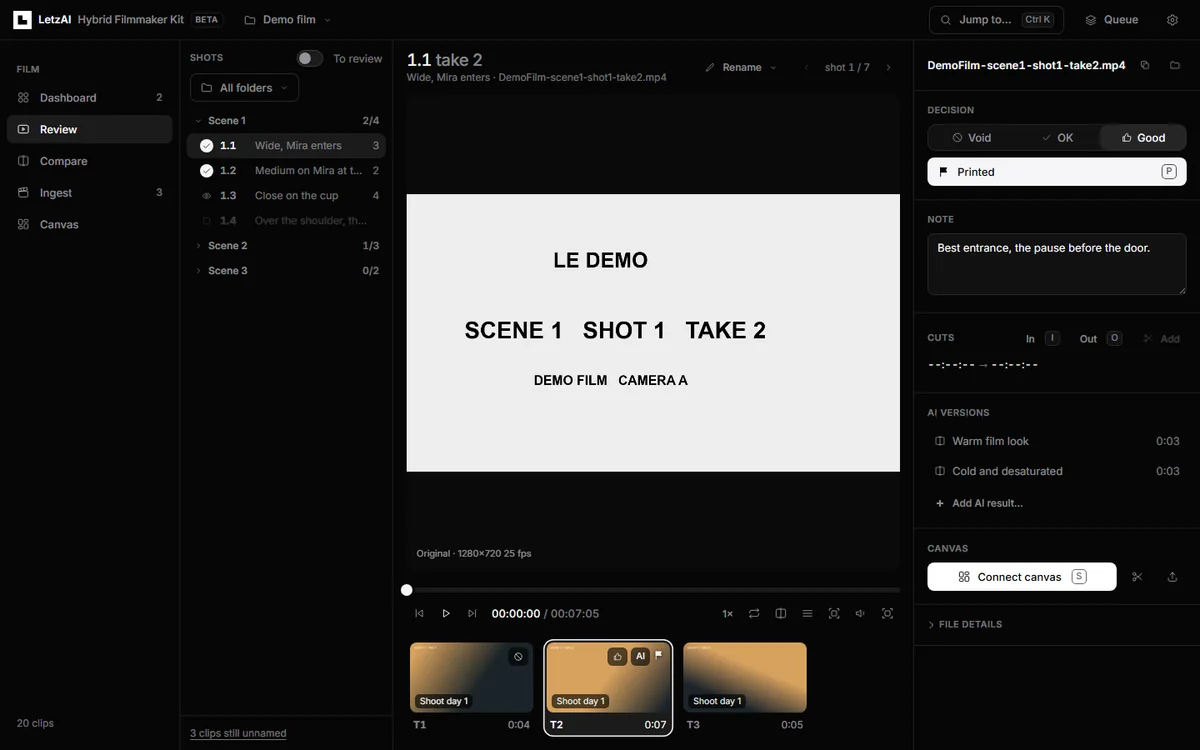
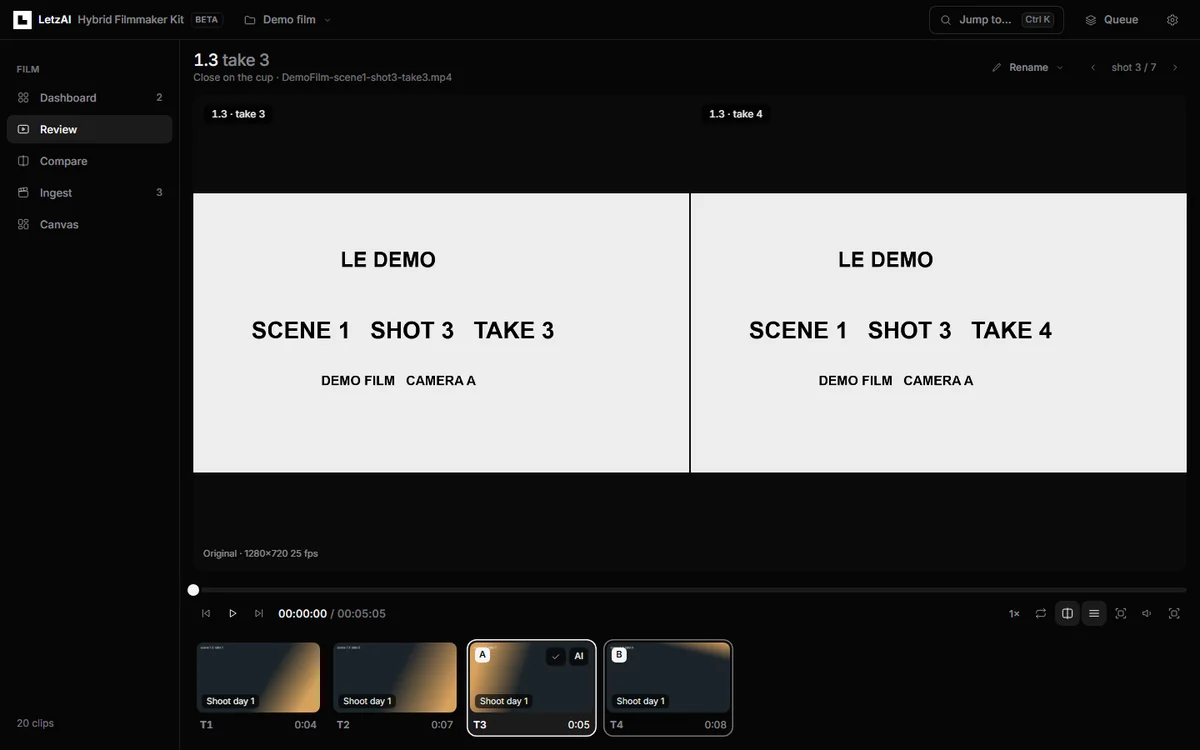
Review is built like a dedicated screening room for dailies. Step frame by frame with ← and →, shuttle speed with J K L, set in and out points with I and O, punch sub-cuts with Enter, drop markers with M, rate takes with 1 2 3 (Void, OK, Good), and press P to mark your printed take.
Need to judge two performances against each other? Press C to put two takes of the same shot side by side, or hit Ctrl+K (Cmd+K on macOS) from anywhere in the app to jump straight to any scene, shot, clip, or command.
Compare camera plates against AI takes — in sync
Once you bring takes into LetzAI to restyle lighting, test grades, or generate VFX variations, judging whether a shot holds up means watching it right next to the camera original.
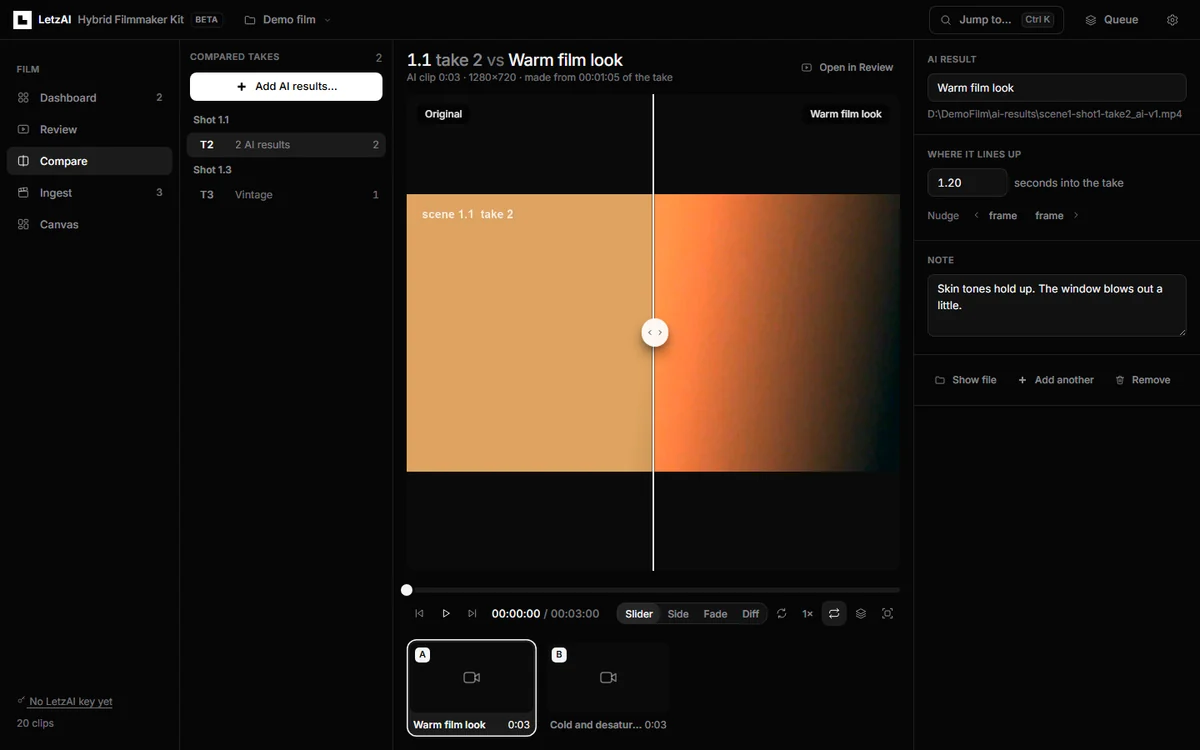
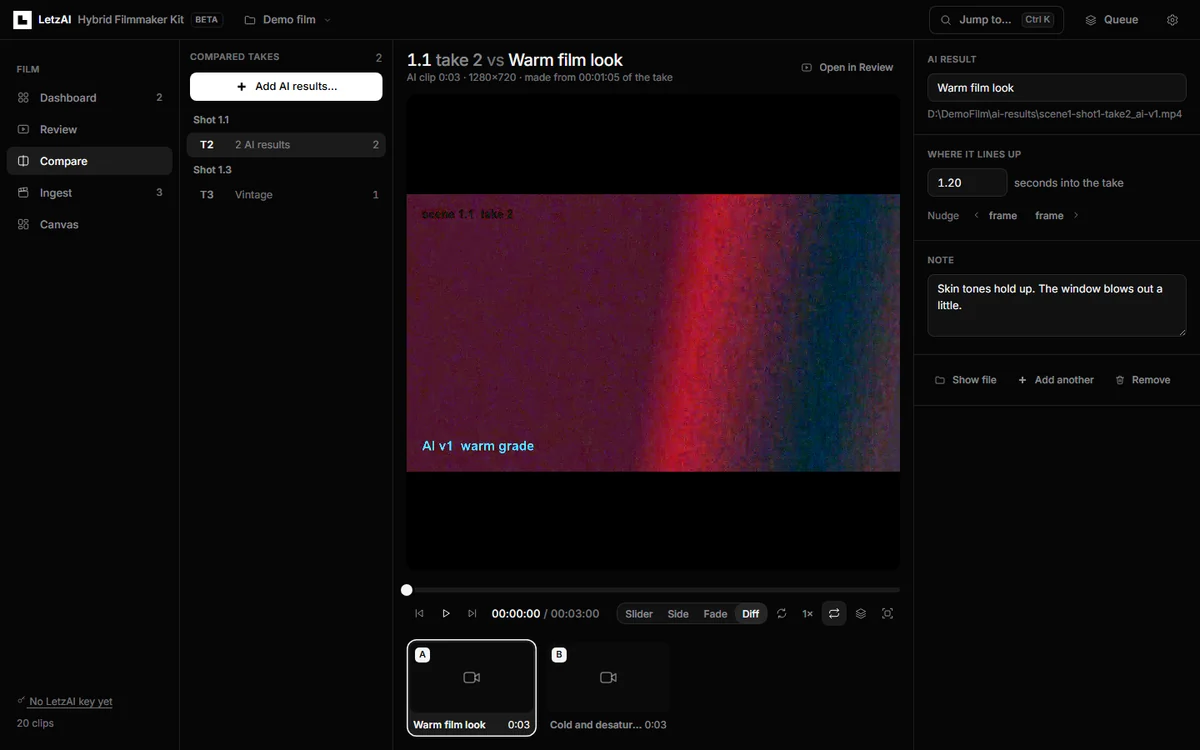
Open Compare and add your AI results from local files, links, or directly from your LetzAI Canvas. The kit matches each AI clip back to the take and snippet it came from, keeps both timelines locked in sync (with frame-by-frame nudge controls if you need to fine-tune the offset), and gives you four ways to inspect the result:
- Slider — drag a split wipe across the frame with the camera original on one side and the AI take on the other.
- Side by side — view both full frames next to each other.
- Fade — cross-dissolve between plate and generation to check geometry and framing.
- Difference — highlight pixel-level changes so temporal drift, warped edges, or blown highlights jump out immediately.
Multiple AI takes of the same shot sit in a comparison strip underneath the player, complete with per-version notes so you can record what held up and pick the winner.
Cut snippets and send straight to LetzAI Canvas
Generative video workflows run on focused selects rather than three-minute raw takes. When you are ready to move from dailies into generation, the kit cuts your chosen takes — or the exact I / O ranges you marked in Review — into clean snippets (up to 30 seconds by default at 1080p) inside a cuts/ subfolder, leaving your camera masters untouched.
Add a LetzAI API key from Settings → API Keys and send your selects in one click:
- Upload to LetzAI — pushes your selected snippets straight into your LetzAI Assets library without touching a board.
- Send to Canvas — places snippets onto your chosen LetzAI Canvas, arranged three clips per row in shot, take, and cut order with captions, either grouped under
Scene Nheadings on one board or routed onto a dedicatedScene Npage per scene. - Safe, deduplicated sync — every upload is byte-verified, nothing is ever uploaded twice, re-cutting a take replaces its outdated snippet cleanly, failed uploads can be retried per take, and the kit never moves or touches work you placed on the Canvas yourself.
Install and try the sample shoot in two minutes
All you need is Node.js 20+ and ffmpeg. Clone the repository (or download the ZIP from GitHub), check your setup, and start the app:
git clone https://github.com/Letz-AI/letzai-hybrid-filmmaker-toolkit.git
cd letzai-hybrid-filmmaker-toolkit
npm run check
npm start
Prefer double-clicking? Launch Start-Kit.bat on Windows, Start-Kit.command on macOS, or start-kit.sh on Linux.
If you want to explore the interface before pointing it at a shoot, run npm run demo — it builds a synthetic two-day sample film complete with slates, rated takes, missing coverage, unnamed camera clips, and restyled AI takes in a few seconds.
Public beta, open source, and what comes next
The LetzAI Hybrid Filmmaker Toolkit is out today in public beta under the MIT License. Because it is early software that renames files and writes snippet cuts inside your project folder, always keep a backup of your camera cards — just as you would with any tool on a production.
We are building this in the open alongside filmmakers using LetzAI on real shoots. Next on our radar are grabbing a frame straight from Review to kick off an image edit or video generation on LetzAI, counting generated pickups directly inside Dashboard coverage, offline slate reading with local models, clap audio sync, and exporting printed selects as EDL, FCPXML, or OpenTimelineIO timelines for DaVinci Resolve and Premiere.
Try it on a shoot, tell us where the rough edges are, and share your ideas on GitHub Issues or at support@letz.ai.
Shoutout to the participants and congrats to the winners of the first Berlin-based Hybrid AI Film Hack organized by Filmakers.ai, powered by LetzAI and Inference Shell.
Happy filming!
The LetzAI Team