Over the past months, the capabilities of frontier AI models have evolved a lot. From AI being able to solve Millennium Problems in Math, to handling complex 3D objects, reverse-engineering computer games or creating "Slopcore" mtion animations.
With LetzAI V5, we're bringing these new capabilities directly into LetzAI.
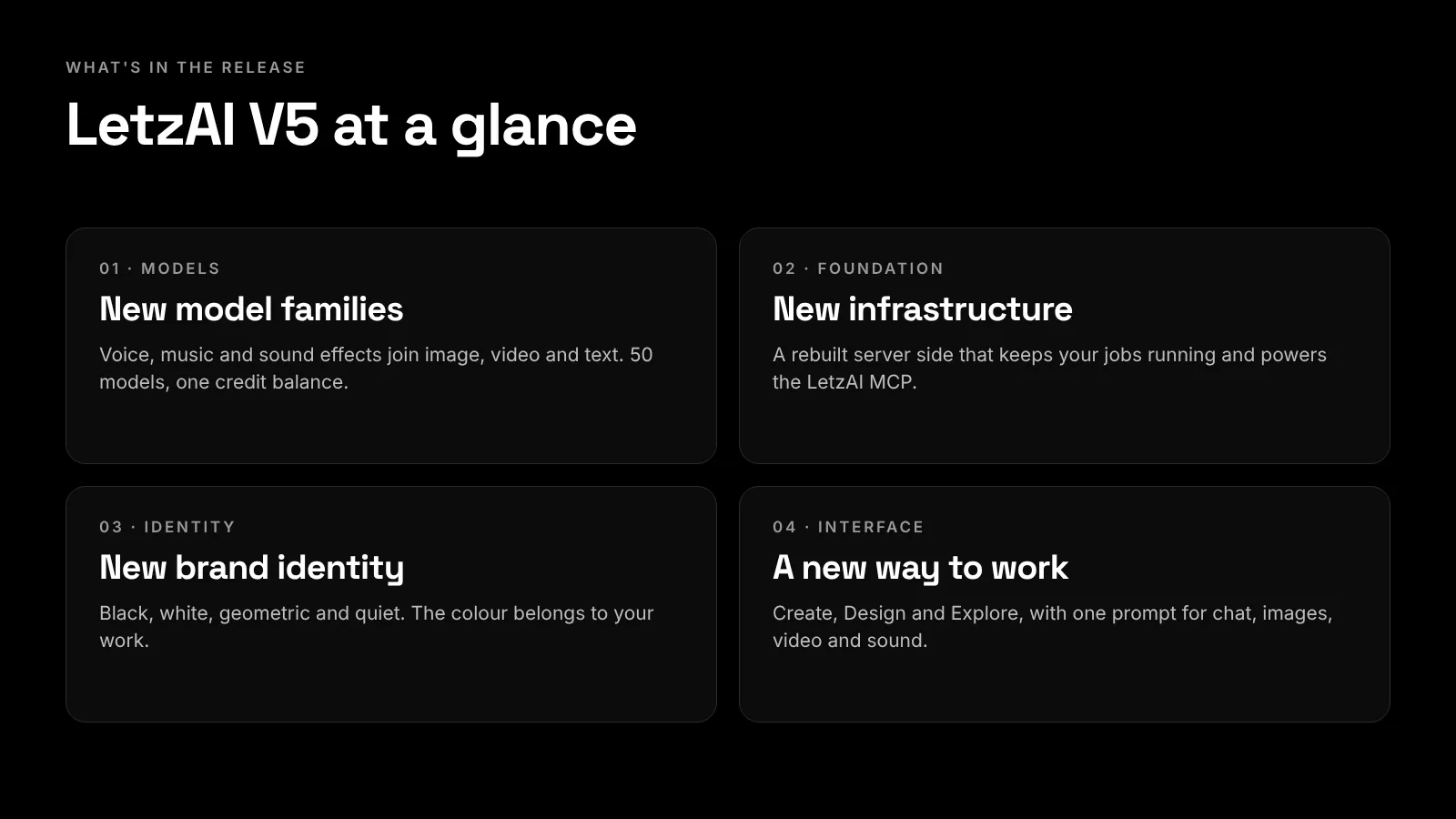
We're excited to introduce a new agent harness in both Chat and Canvas, AI sandboxes for Enterprise users, new audio models, 'Bring Your Own Keys', and much more. We've also completely revamped our server infrastructure, which enables new LetzAI MCP capabilities.
If you're on an Enterprise plan, you can now give your AI agents a machine of their own: an isolated environment with a shell, Python and Node, a real browser and the open internet. The agent can run code, work through files and check its own results.
We believe that these new updates turn LetzAI into an even better All-in-One solution for professional creators and we're very excited to hear the Community's feedback on everything we've developed over the past months.
The next evolution of LetzAI
When LetzAI started, the idea was simple: give everyone a way to make AI images of themselves. Since then, images learned to move and models got better from month to month. Users stopped asking "can AI make this?" and started asking "can AI make my whole project?"
V5 is our answer. It can now make any project: the images, the movies, the voices, the music and the sounds around it.
Using our V5 agents, users can now build their own workflows, without waiting for us to build them for them.
This means that you can add any kind of capability to your LetzAI Canvas or Chat, on your own, including workflows that require external APIs.
Your agent gets a computer
An agent is only as useful as the tools it can reach. In V5, Enterprise organizations can give their Chat and Canvas agents a machine of their own: an isolated environment with a shell, Python and Node, a real browser and the open internet.
The agent can write and run code, work through your files, browse the web and check its own results before handing anything back. Ask it to pull a client's brand colors from their website before it generates the campaign. Have it resize a folder of finished images into every social format you need. Or give it a spreadsheet of 200 product names and get 200 product shots back. In other words, you can add capabilities to LetzAI yourself, without waiting for us to build them.
Administrators decide who gets access, for the whole organization or for selected members, in the organization's Sandbox settings.
LetzAI learns to speak, sing and make noise
A film without sound is a rough cut. For a long time that is exactly what AI tools handed you: silent images and silent clips, and a trip to another app for everything you could hear.
V5 brings sound into the same place as the picture. Open the model menu on Create and next to Image, Video and Upscale you will find three new groups: Voice, Music and Sound effects. Eight audio models are available at launch.
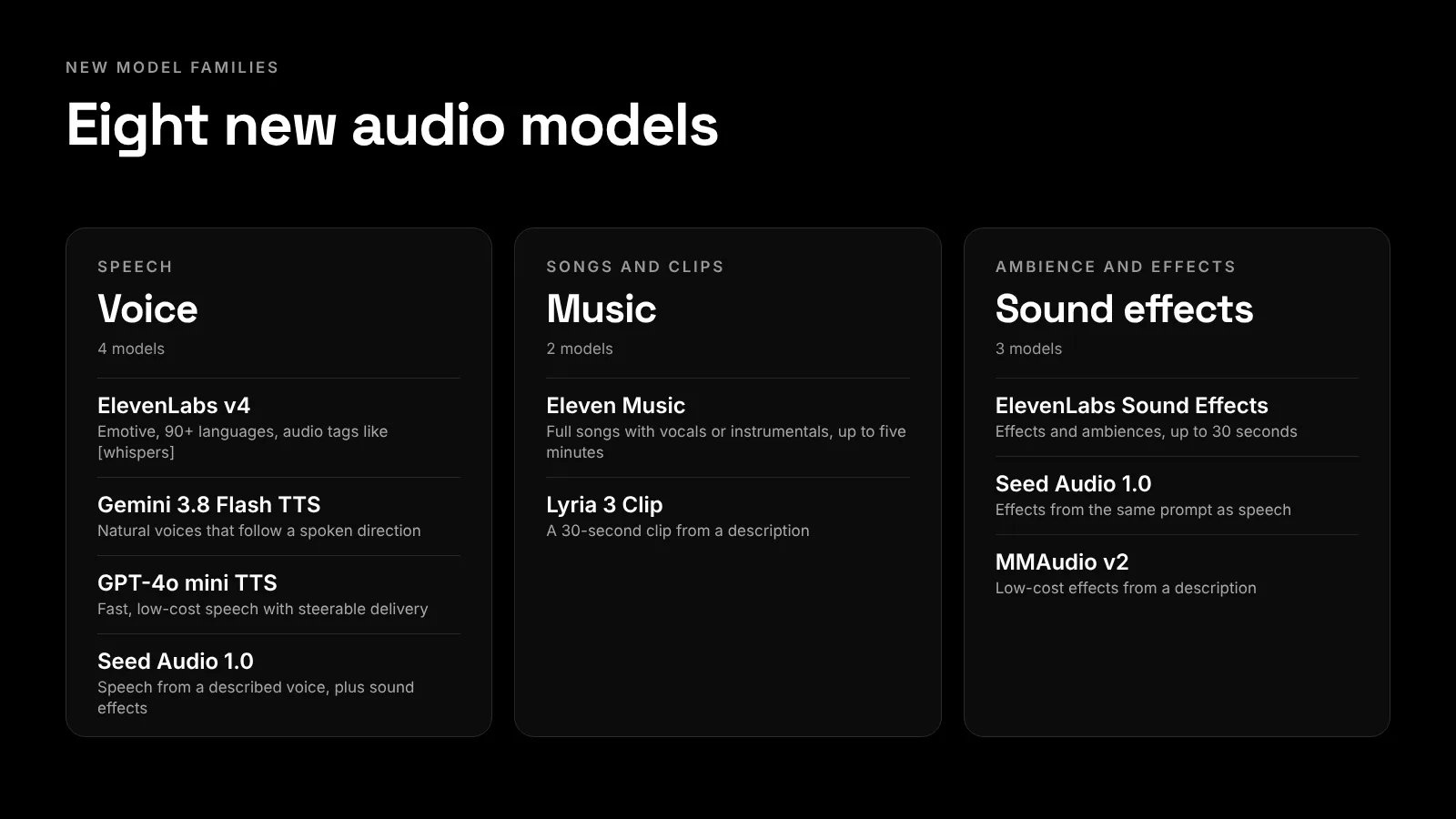
- Voice. ElevenLabs v4 is the most emotive of them, with more than 90 languages and delivery you can steer with audio tags such as [whispers]. Gemini 3.8 Flash TTS follows spoken directions, GPT-4o mini TTS is fast and low-cost, and Seed Audio 1.0 builds a voice from a description.
- Music. Eleven Music writes full songs, with vocals or instrumental, up to five minutes long. Lyria 3 Clip makes a 30-second piece from a description.
- Sound effects. ElevenLabs Sound Effects, Seed Audio 1.0 and MMAudio v2 make effects and ambiences from a sentence.
Sounds appear in your feed like any picture, drawn as a waveform with a player, and you can drop them onto a canvas or use them in a video.
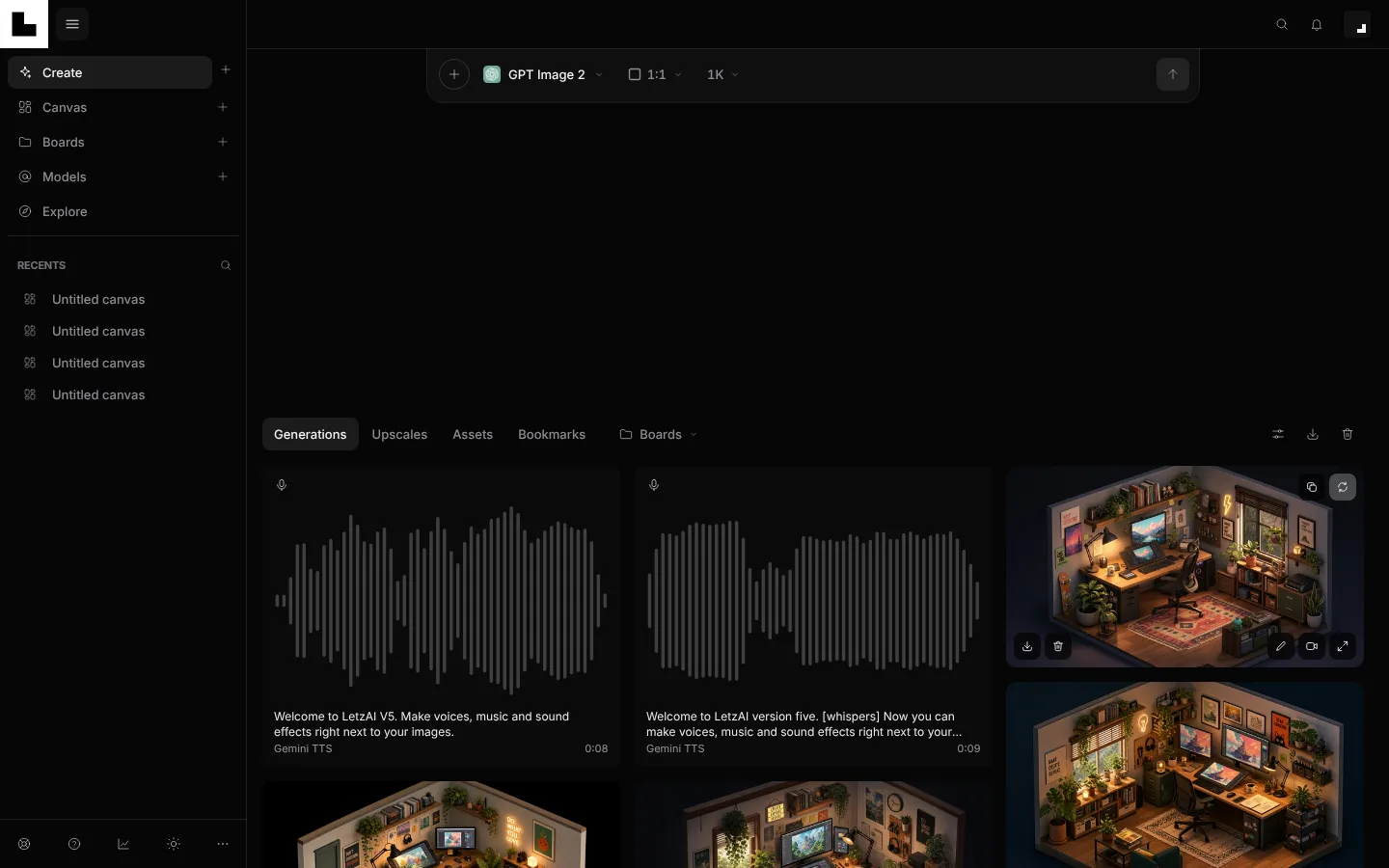
LetzAI now lists 50 models across image, video, upscaling, audio and text, including Nano Banana 2.1 and GPT Image 2.5 for images, the Seedance 2.5 family, Gemini Omni 1.1 Flash, Flux 3 Video and MiniMax H3 for video, and Claude Opus 5.5, Claude Fable 5.1, Gemini 3.8 Flash, GPT-5.6 Sol and Grok 4.6 behind Ask and the agents. One credit balance pays for all of them. The full list is at letz.ai/models.
Draft Mode: find the right take before you pay for it
Long video clips are the most expensive thing you can make, and you rarely get the right take on the first try. Seedance 2.5 Draft Mode is built for that. Pick it in the model menu and it renders a fast 480p preview of your prompt and references, with sound, at the 480p price. Make as many drafts as you need, then choose the one you like and upscale it to the final 1080p video. You only pay the full price for the take you keep.
The upscale renders the draft you picked, not a new guess: it keeps the prompt, references, length, framing and sound of that draft. A draft can be upscaled for seven days. Until then it is a preview, so it can't be edited or used as a source for other work, and Regenerate makes another draft. Draft Mode is available to all users, and Enterprise users also get Seedance 2.5 Enterprise Draft Mode, which works inside their organization.
A new foundation, and a LetzAI that works where you work
The biggest change in V5 is one you cannot see. We rebuilt the server side that runs your generations, and every other part of this release stands on it.
- One engine for every kind of job. Images, edits, videos, upscales and now audio all run through the same service, which also quotes the price before you send.
- Work that survives a reload. Agents in Chat and Canvas now run on our servers instead of inside your browser tab. Reload the page, and a run that is still going picks up where it was.
- Jobs in every tab. A video you start in one tab shows its progress in all the others.
The LetzAI MCP
That foundation is also what made the LetzAI MCP possible. The server, at https://mcp.letz.ai/mcp, lets AI assistants such as Claude or ChatGPT work with your LetzAI account through the Model Context Protocol. Your assistant stops being a place where you describe images and becomes a collaborator that can make them: generate and edit images and videos, make voice, music and sound, upscale, search your media and build on your canvases, using your credits.
To get the most out of it, add the LetzAI skill. The connector gives your assistant the tools; the skill teaches it how to use them well. It picks the right model for each job from our live catalogue, writes better prompts for each model, and quotes the price before anything expensive. Install it with npx skills add Letz-AI/letzai-skill.
You stay in control. An assistant can only reach your account after you sign in and approve it on a consent screen, or after you give it an API key you created yourself. The consent screen lets you decide whether it may view your work, generate with your credits, and publish, delete or train models, which stays off unless you switch it on. In an organization, you choose whose credits it spends. You see every connected app under Settings → API Keys → Connected apps and can disconnect it at any time. For your own code, the same page creates API keys, valid for a year, for every LetzAI model.
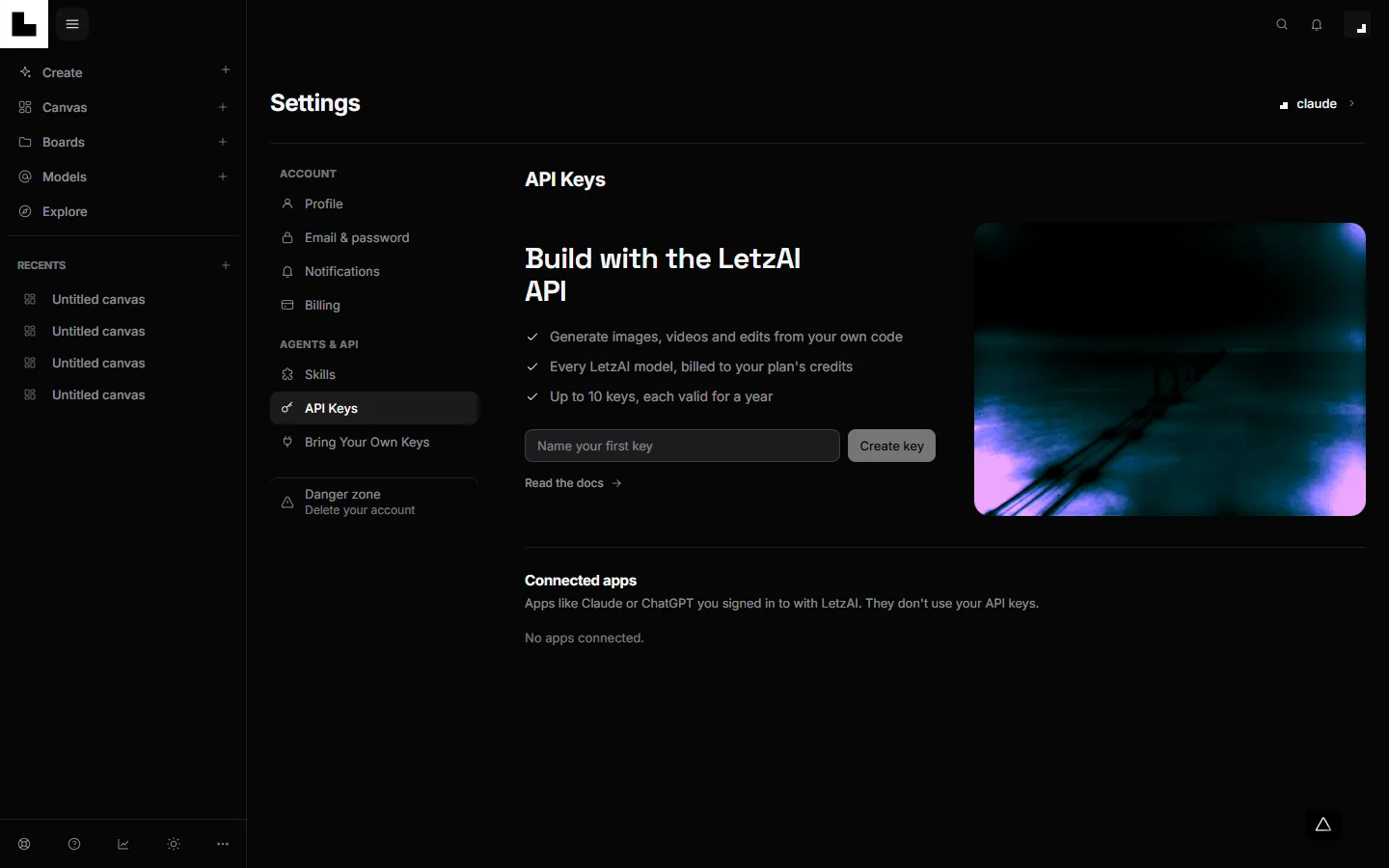
A computer for your agent
Enterprise organizations can now give their Chat and Canvas agents a machine of their own: an isolated environment with a shell, Python and Node, a real browser and the open internet. The agent can run code, work through files and check its own results. Administrators decide who gets it, for the whole organization or for selected members, in the organization's Sandbox settings.
One place to work
All of this lands in a workspace we redesigned around one idea: you should not have to think about which tool to open.
- Create, Design and Explore. Create is where you make things, Design is the Canvas for bigger projects, Explore is what LetzAI and the community are making.
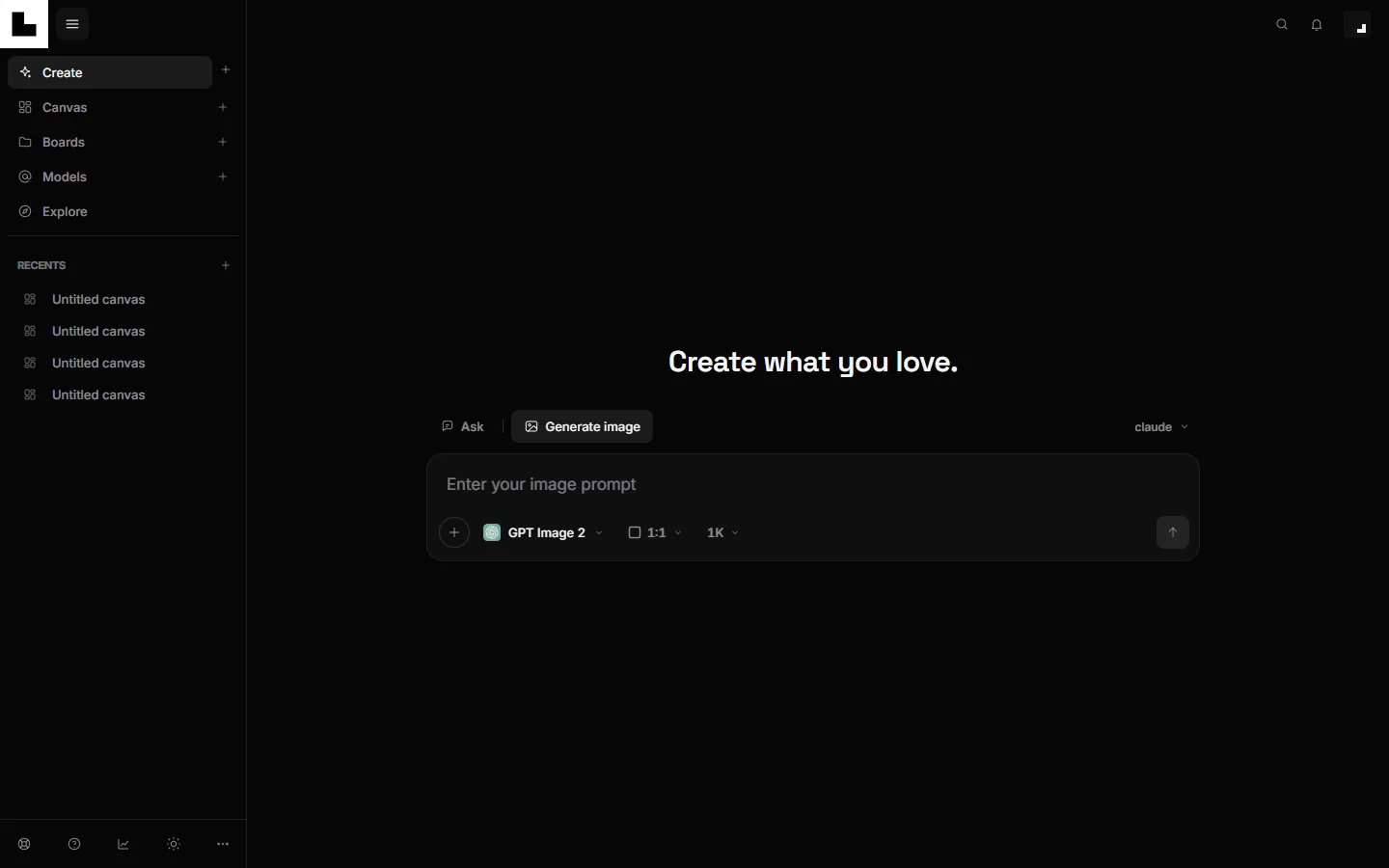
- One prompt for everything. Ask opens a chat with an assistant, and Generate makes images, video and now sound. The prompt even reads what you write: mention 16:9 and the ratio switches.
- A viewer built for iteration. Open any result and Edit, Animate, Upscale and Adjust are one click away, from a full manual editor to an AI edit that you simply describe.
- Canvas for the big picture. An endless workspace with an assistant beside it, where images, videos and sounds sit together, and where the assistant can even build a short launch video for you.
- Boards, Skills and a live feed. Collect work in boards you can keep private or share, teach LetzAI your way of working with Skills, and watch jobs finish in every open tab.
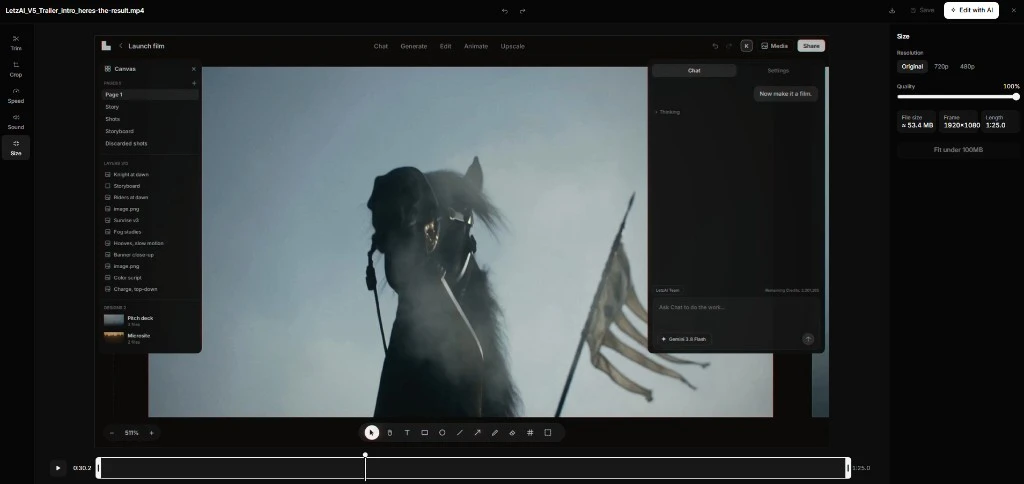
Adjust: edit by hand, right where you made it
Not every change needs a prompt. Open any image, video or sound in the viewer and you will find a new Adjust button next to Edit, Animate and Upscale. It opens a full-screen editor for changing the file yourself.
With features like "Draw", you can also enhance your images to guide your edits better.
For a picture you can draw, crop, rotate, flip, expand the canvas and fine-tune the colors, with fifty filters and film grain on top. For a video you can trim the start and end, crop the frame, change the speed, adjust the sound and choose the size, including a one-click option to fit the clip under the upload limit. Sounds can be trimmed, sped up, faded and normalized. When you are done, download the result or save it to your assets, or send it straight on to an AI edit with Edit with AI.
Changes to boards and the feed
With V5, we are also changing the way our Explore page works. Content that is published to a board you are a member of now shows up in your own Explore feed, with a label naming the board it was published to.
This includes content published to private boards. That does not make it public. A post from a private board only appears in the feeds of that board's members, which means you and the people you have let into the board. Nobody else sees it.
Whenever a post in your feed comes from a board, the board's name appears in the top-left corner of the picture. Rest your mouse on it and LetzAI reminds you that only members of that board see the post in their feed. Click it to open the board.
Only content that is published to a board shows up this way. If you would rather keep something to yourself, don't publish it to a board.
See it in action: a Beginner's Guide to LetzAI V5
The fastest way to understand V5 is to watch it work. This short guide starts inside the app and takes you from your first image through the viewer and the new sound models to boards, canvas, and the connections for your assistants.
Launch offer: up to 50% off your first month
To celebrate V5, we are lowering the price of getting started and of stepping up. If you do not have a running subscription, your first month on any monthly plan is 50% off. If you already have a plan and upgrade to a higher one, your first month on the new plan is 30% off.
There is no code to enter. Pick a plan on the pricing page and the discount is applied for you, then the plan continues at its regular monthly price. Both offers are for personal monthly plans, and each can be used once per account. Yearly and Enterprise plans are not included.
What comes next
V5 is a foundation more than a finish line. Sound, the MCP and the new workspace give us a lot to build on, and we would rather build it with you. Try it, push it, break it, and tell us what you make. Our docs cover every part of LetzAI, and support@letz.ai is always open.
Happy creating!
The LetzAI Team