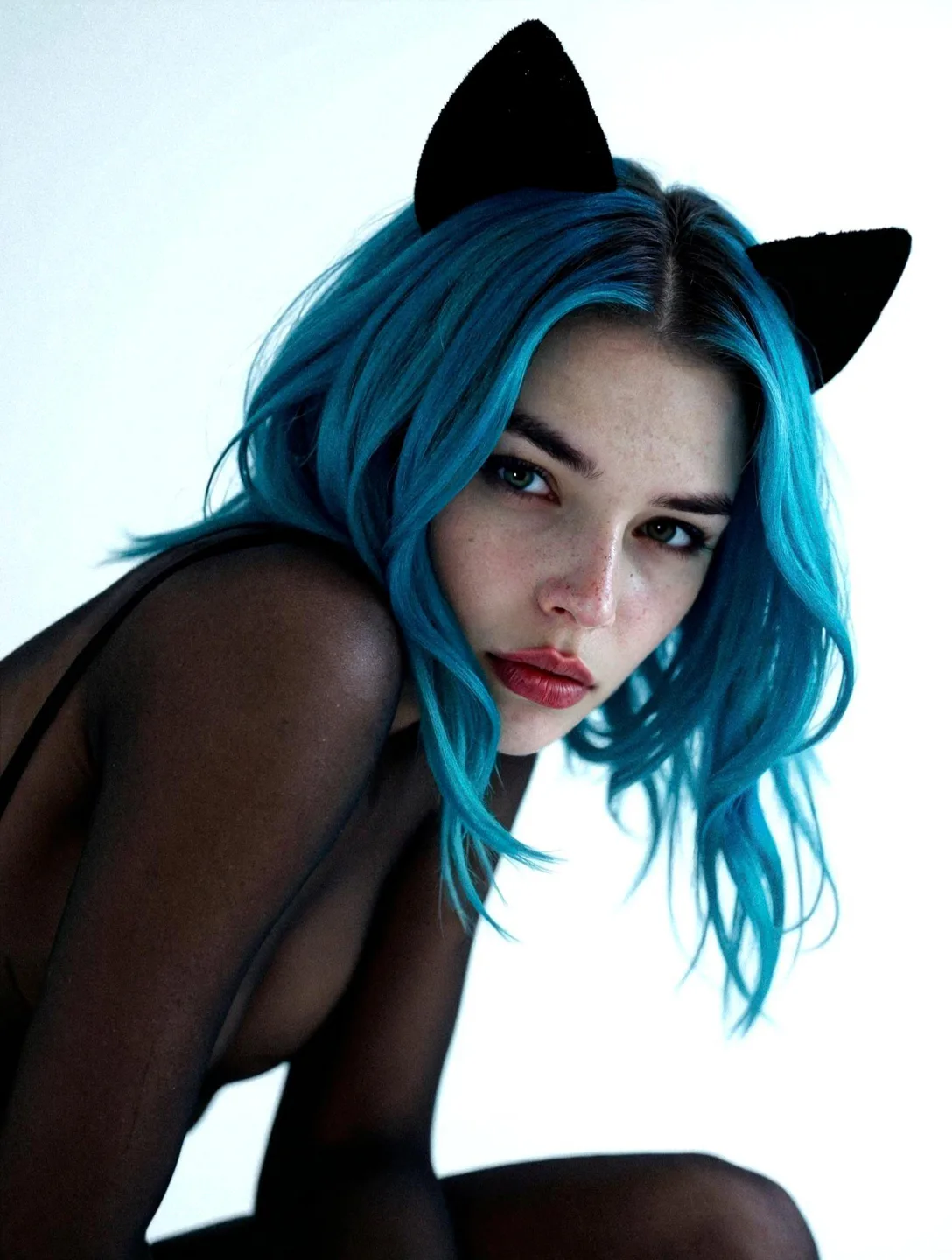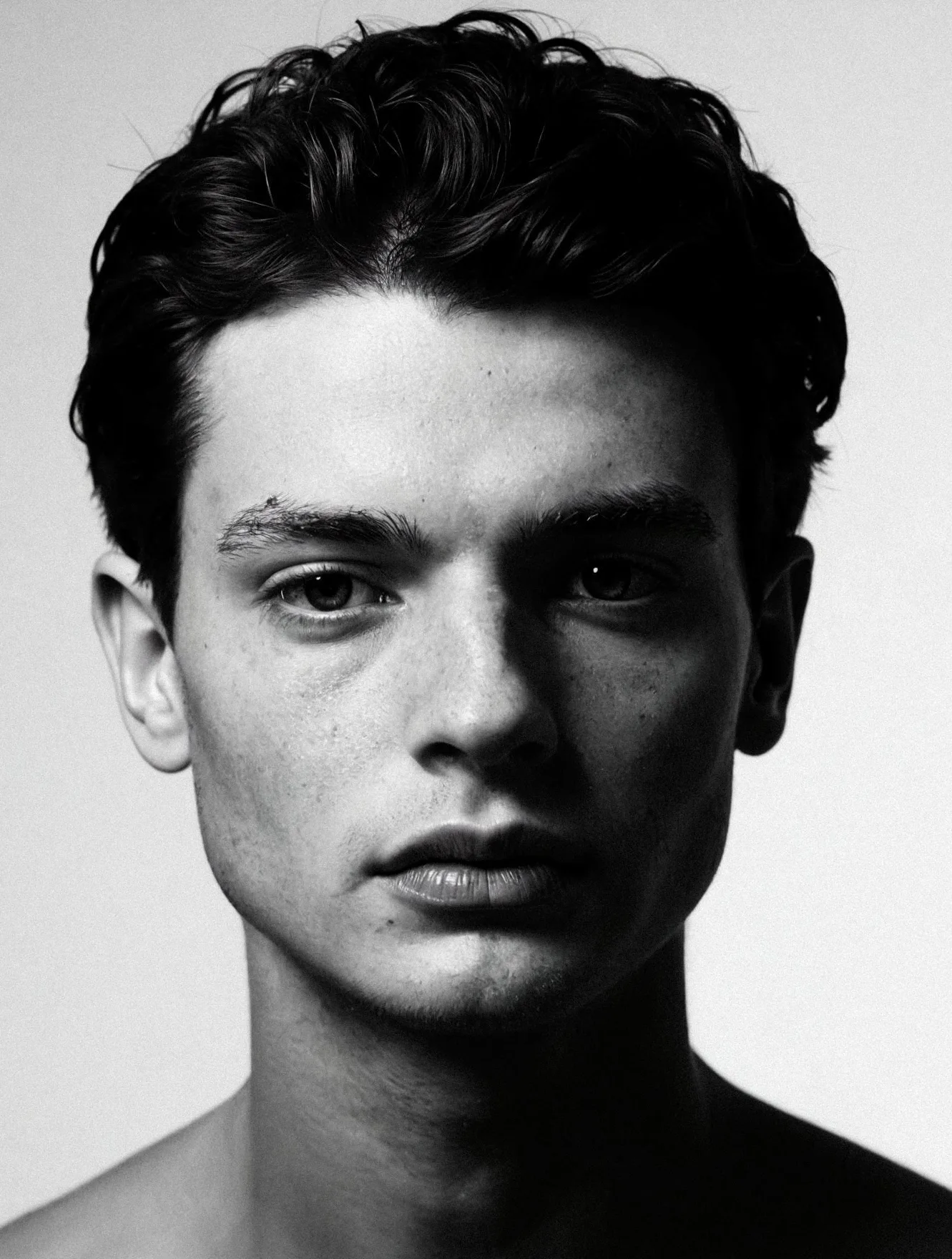
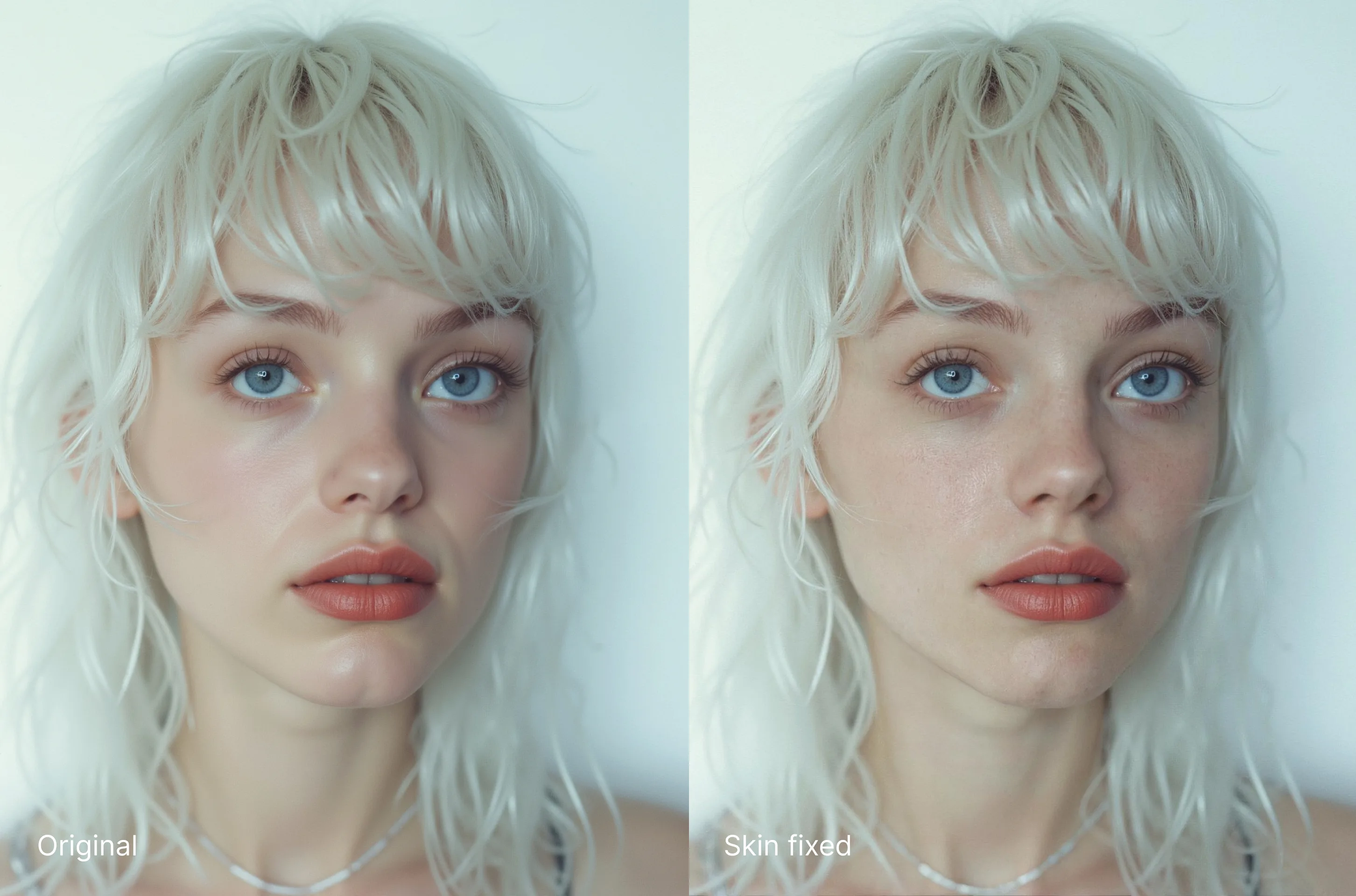
Today we've added a new Editing Mode: Fix Skin.
Fix Skin has two main uses:
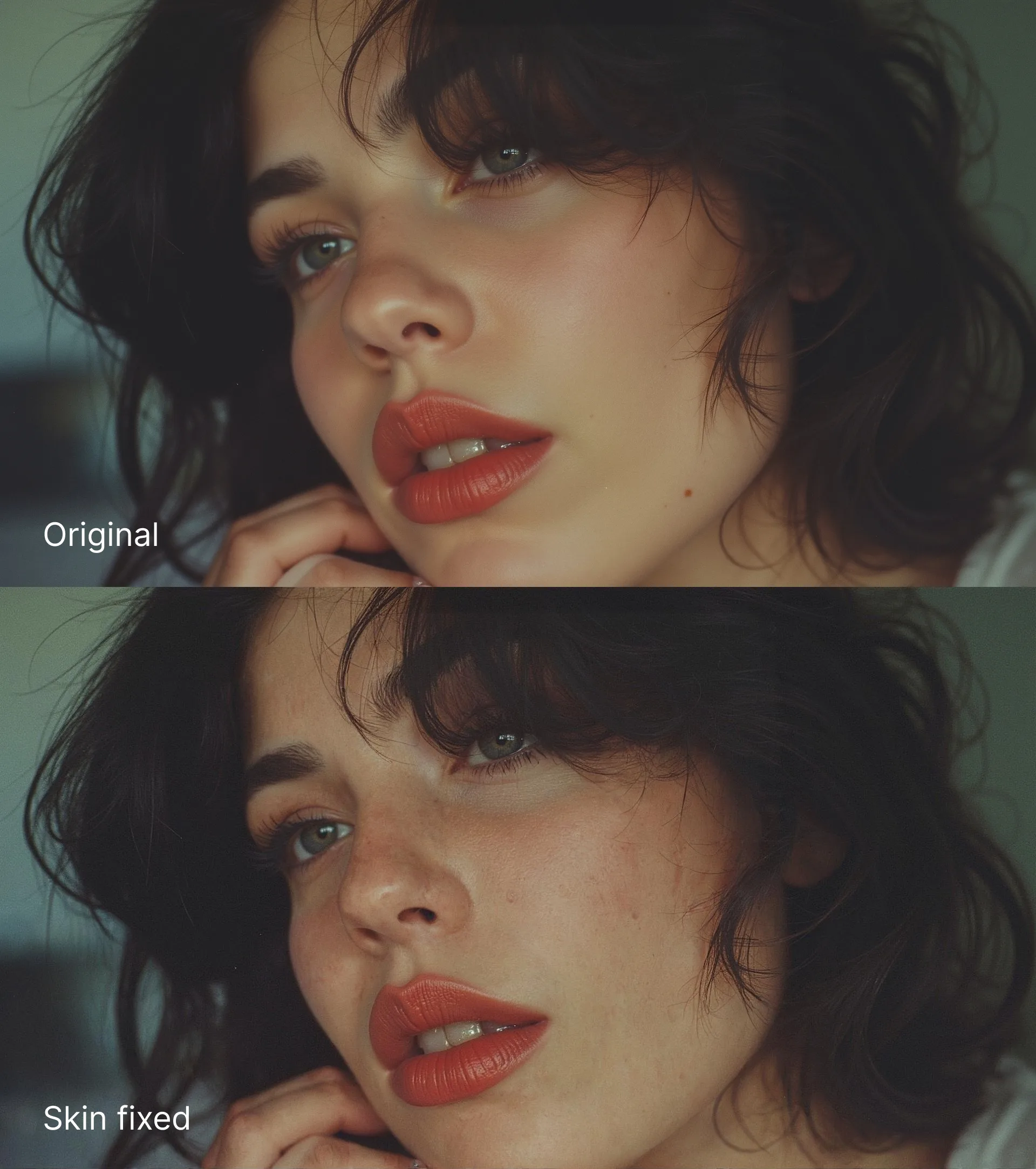
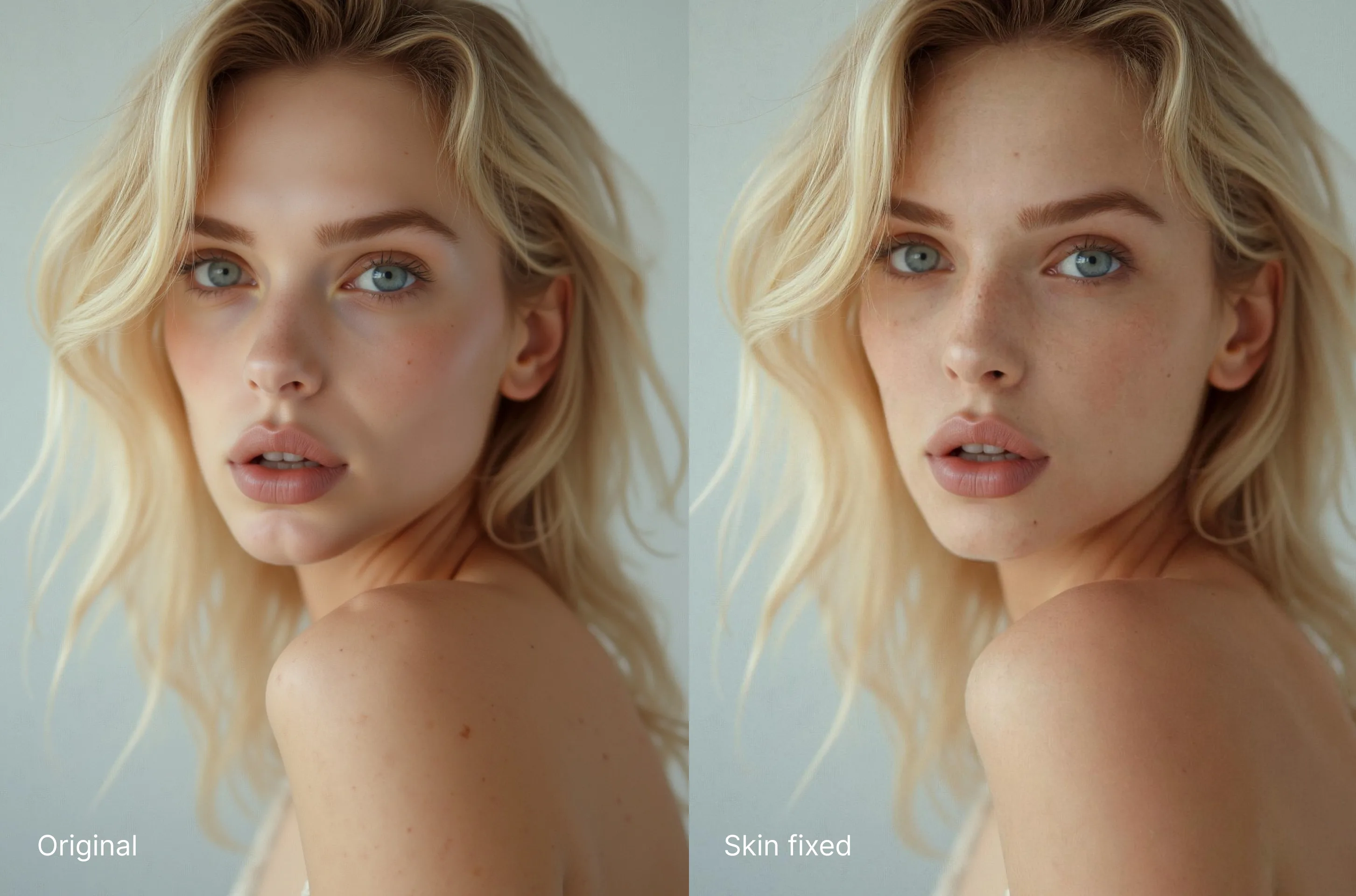
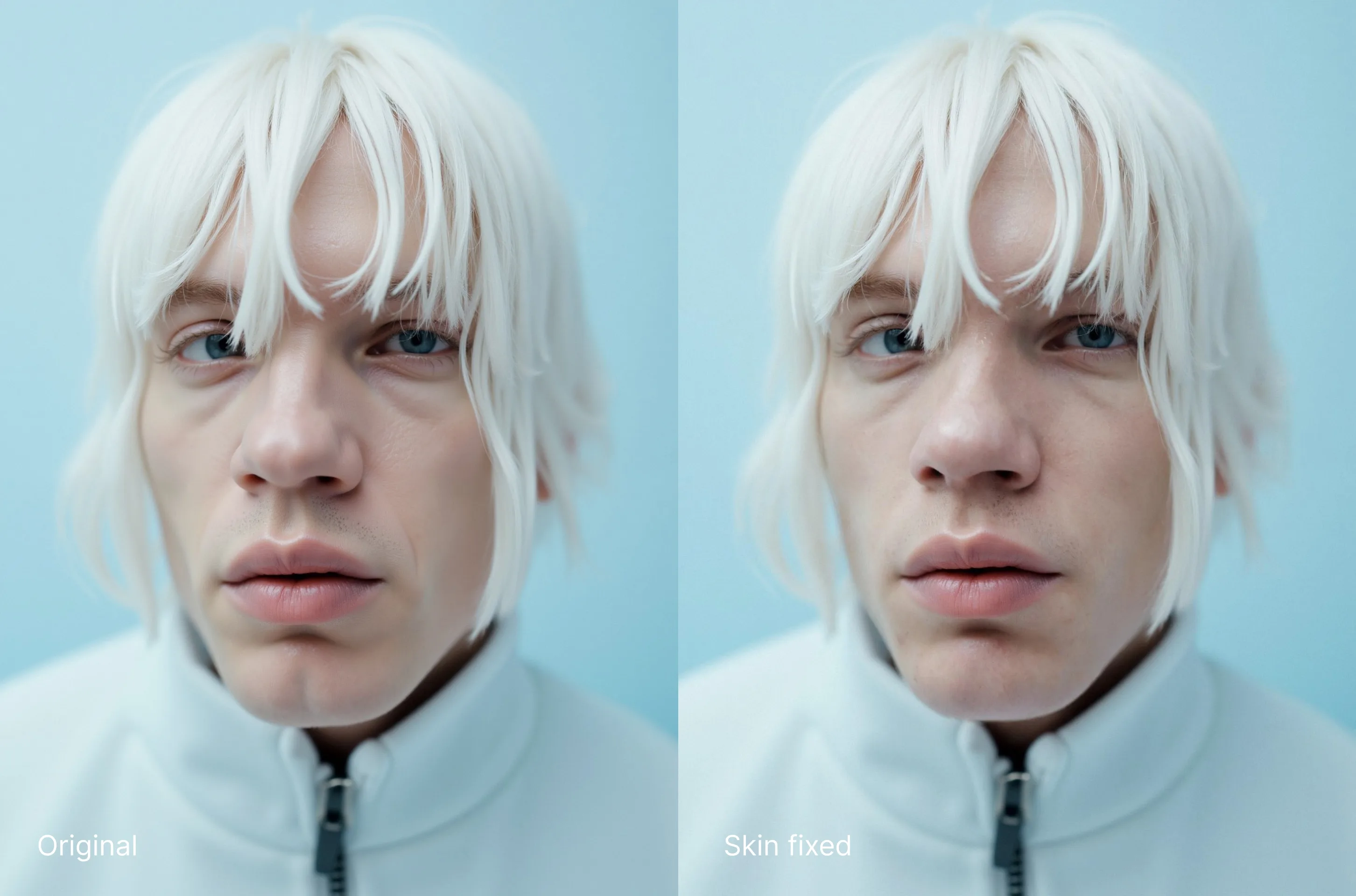
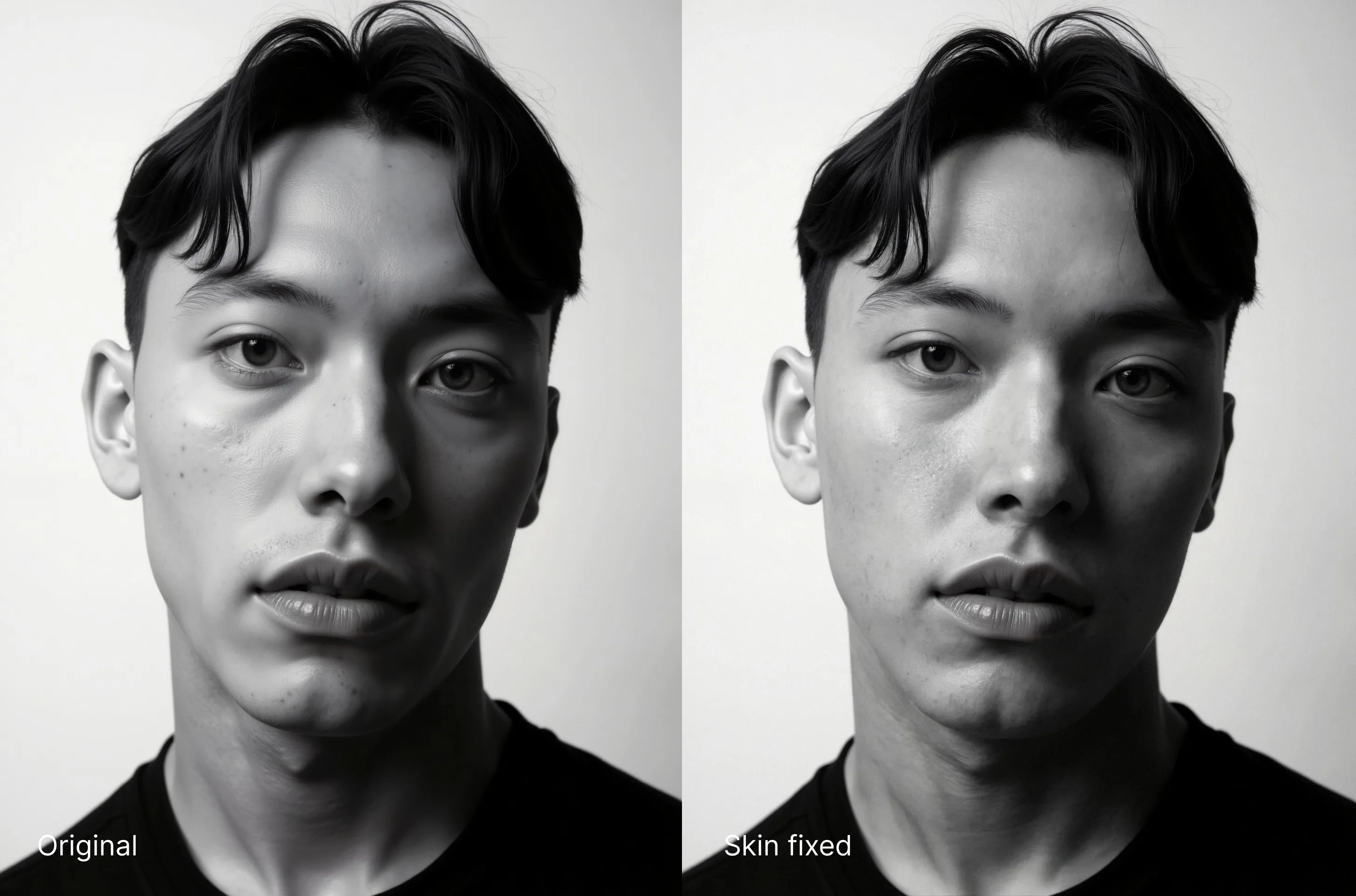
- For AI Images: Makes skin look more photorealistic and less artificially generated.
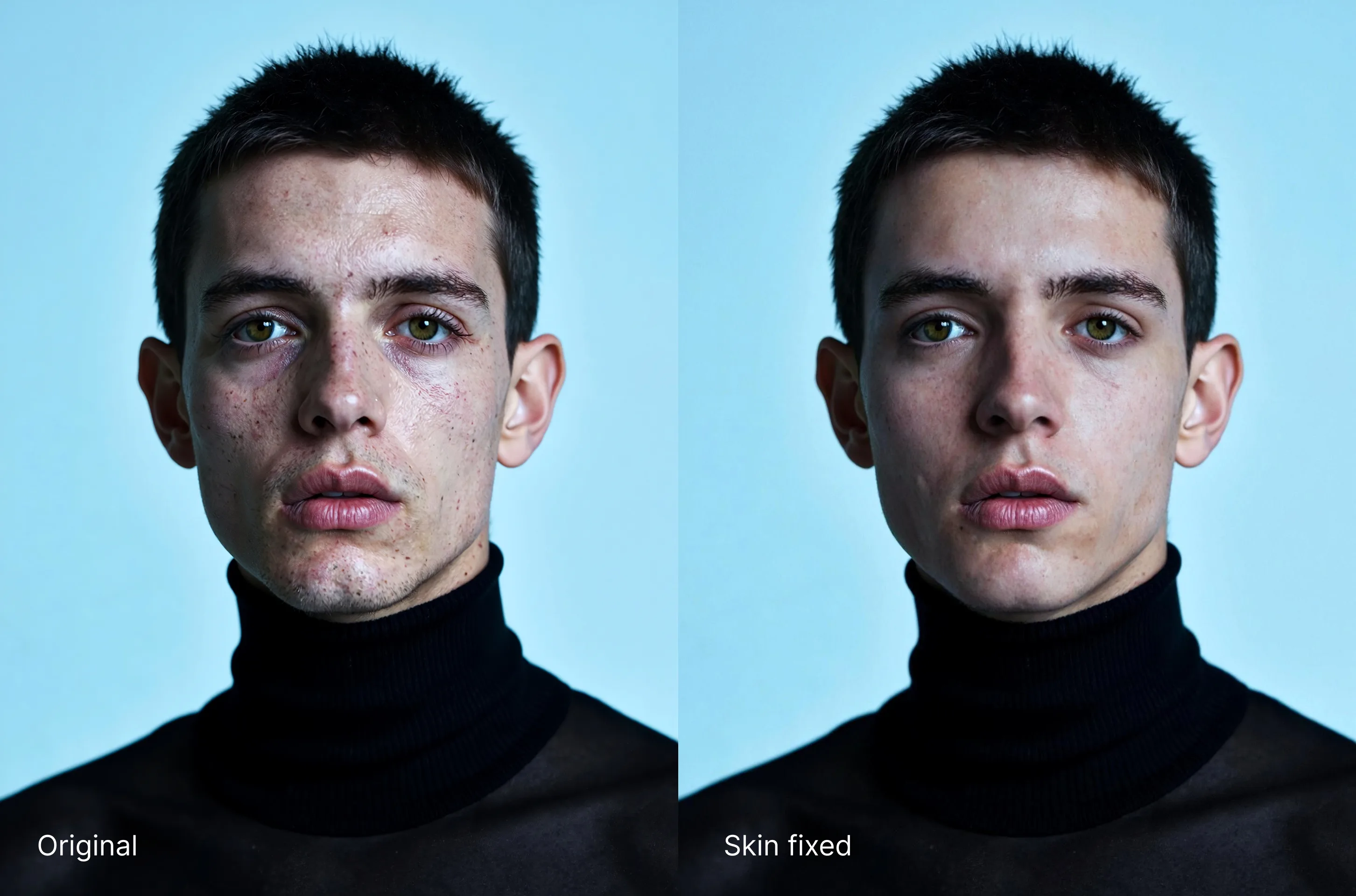
- For real photos: Enhances skin by softening pimples, blemishes, and rashes.
This new feature will only apply to the skin of your characters, and tries to keep the likeness of your character as much as possible. Its only purpose is to repair skin.
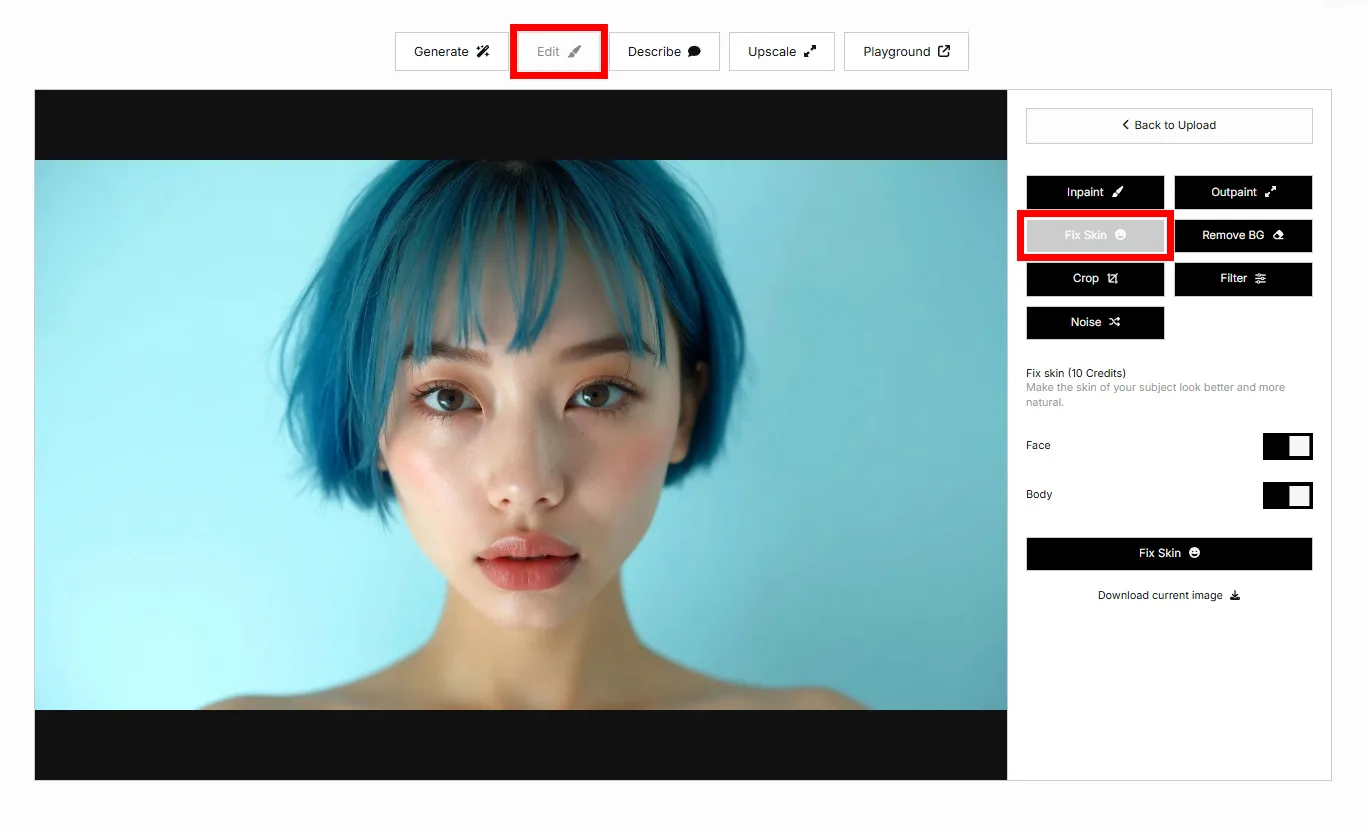
Fix Skin has several settings: "Face" with "Nose" and "Mouth", "Eyes", and "Body". You can enable/disable each part to customize the effect depending on your needs.
The additional "Intensity" setting allows you to control the intensity of the effect. 1 is low, 5 is intense.
This new feature is available now on the LetzAI website and through our image editing API.
How to Use (Website)
Fix Skin works best on human portraits. It is not designed for non-human characters like animals, and it may produce unwanted results on small faces or non-portrait images.
To use it, head to Edit on the LetzAI website, upload a new image or choose one of your existing creations. Then, click on the new “Fix Skin” button in the Edit menu.
You can use any image, including real photos or AI generated images made with any tool, including LetzAI, Midjourney, ChatGPT, etc.
Processing takes about 10 seconds and generates one improved image per run. If you're not satisfied yet with the intensity of your first run, you can run the effect again on the resulting image for a stronger effect.
How to Use (API)
To use Fix Skin via API, set the mode to: "skin".
To apply the effect to different body parts, use "settings" parameter like: { "face": true, "body": false, "eyes": true, "mouth": true, "nose": true }.
Note that mouth and nose are subcategories of face and will only work if face is true.
Default values are: { "face": true, "body": true, "eyes": false, "mouth": false, "nose": false }.
Full API documentation is available here.
Costs
Fix Skin costs 10 credits per run (about $0.02 per use).
You can apply Fix Skin multiple times to the same original image. So by reusing an already fixed image, each additional run builds on the previous one, allowing effects to stack for increasingly stronger transformations.
Try "Skin Fix" now
Examples
See before-and-after examples in the gallery below or try it yourself now on LetzAI.
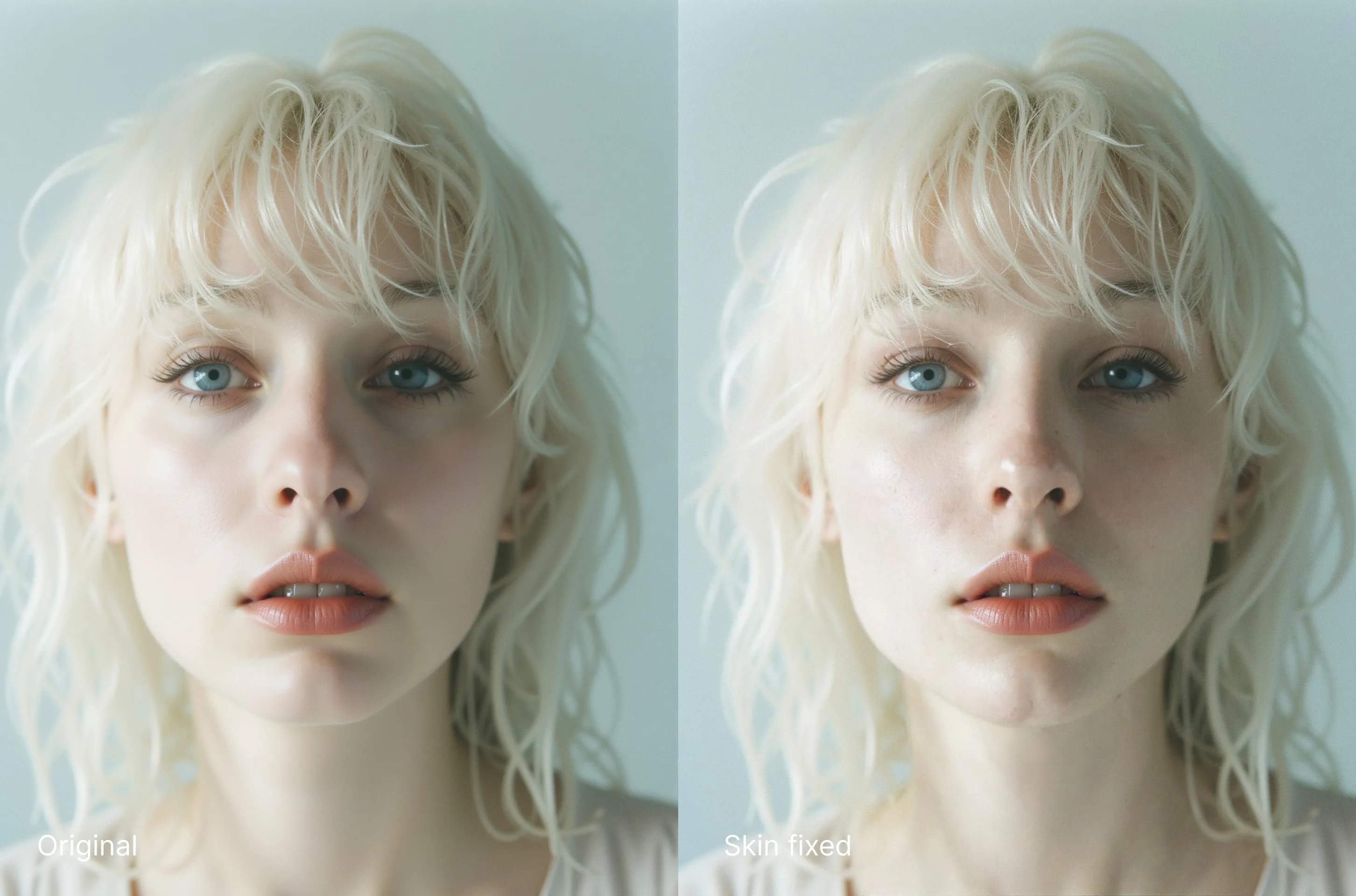
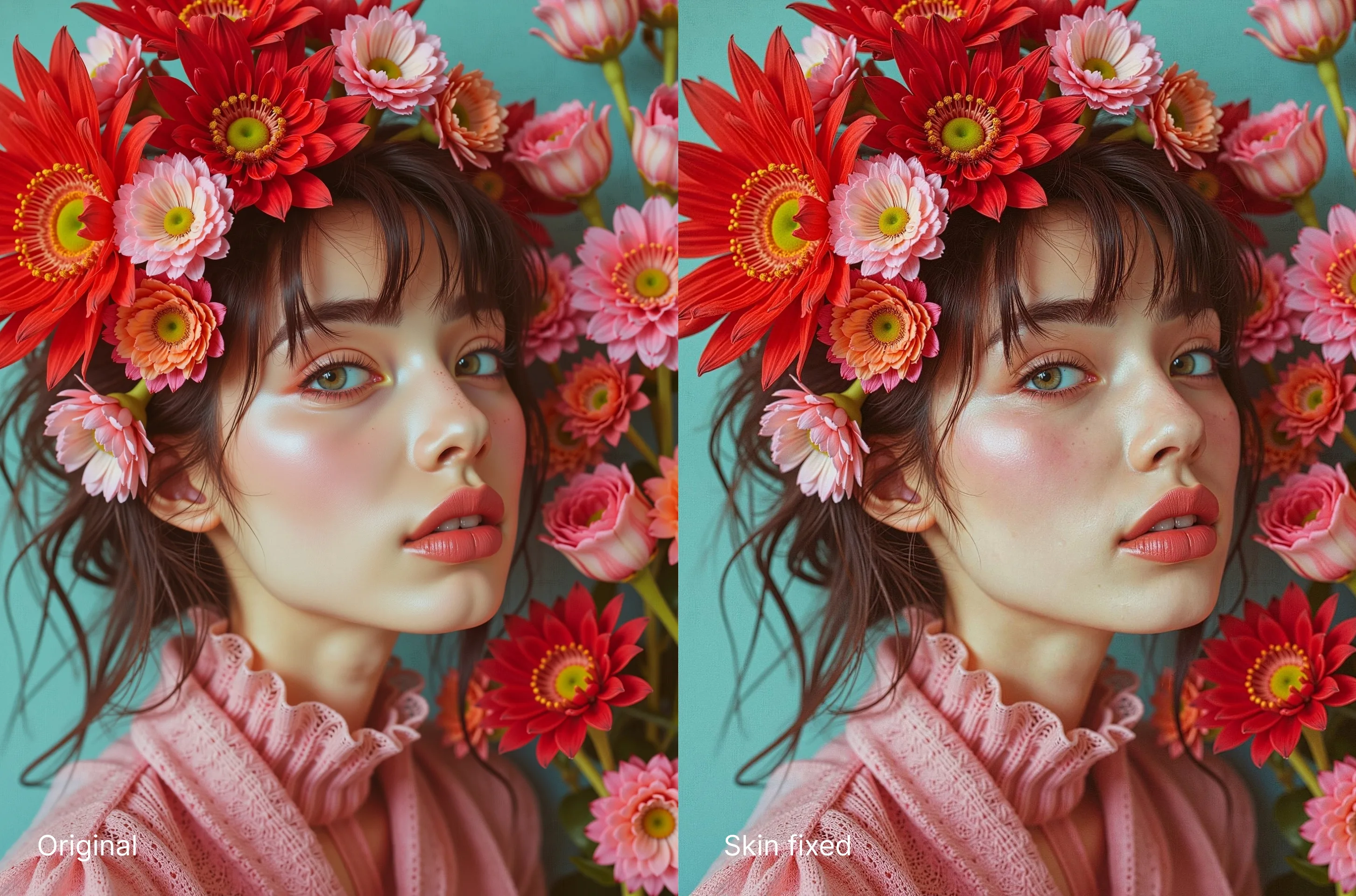
We recommend combining Sigma Mode and Skin Fix to get the best results.