We've been busy making LetzAI even more powerful! This December brings a collection of exciting updates that will supercharge your creative workflow. From smarter prompt tools to doubled queue limits and new AI models, here's everything that's new.
🏪 Introducing better Presets
We've completely redesigned how you discover and use presets in Image Editing. Say hello to the Presets Library—a beautiful, app-store-inspired interface for browsing and selecting our curated editing and video prompts!
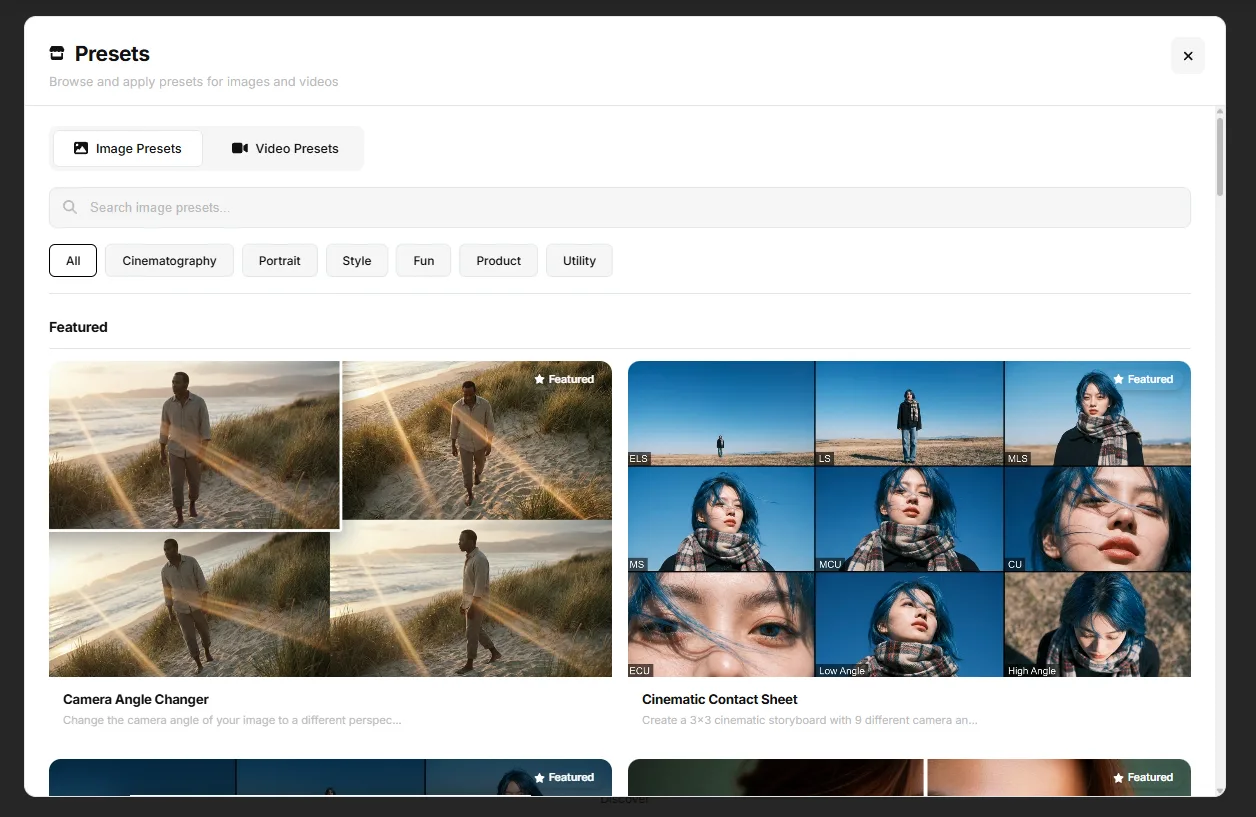
Key features of the new Image Presets:
- Visual Grid Layout: Browse all available presets in a large grid view with preview images and descriptions. No more scrolling through a cramped dropdown!
- Search & Filter: Quickly find the perfect preset with our new search bar. Filter by name, description, or keywords.
- Featured Presets: Highlighted and trending presets are showcased at the top so you never miss the latest hype.
- Detailed Preview: Click any preset to see a full description and the exact prompt that will be applied before using it.
- Recommended Settings: Some presets now include recommended aspect ratios and base models that are automatically applied when you select them for optimal results.
- Try from Feed: Discover presets directly from the Feed page with our new "Try these Presets" section featuring random preset suggestions.
- One-Click Apply: Found what you need? Just hit "Apply This Preset" and you're ready to go.
🎬 Additional Video Presets for Animation
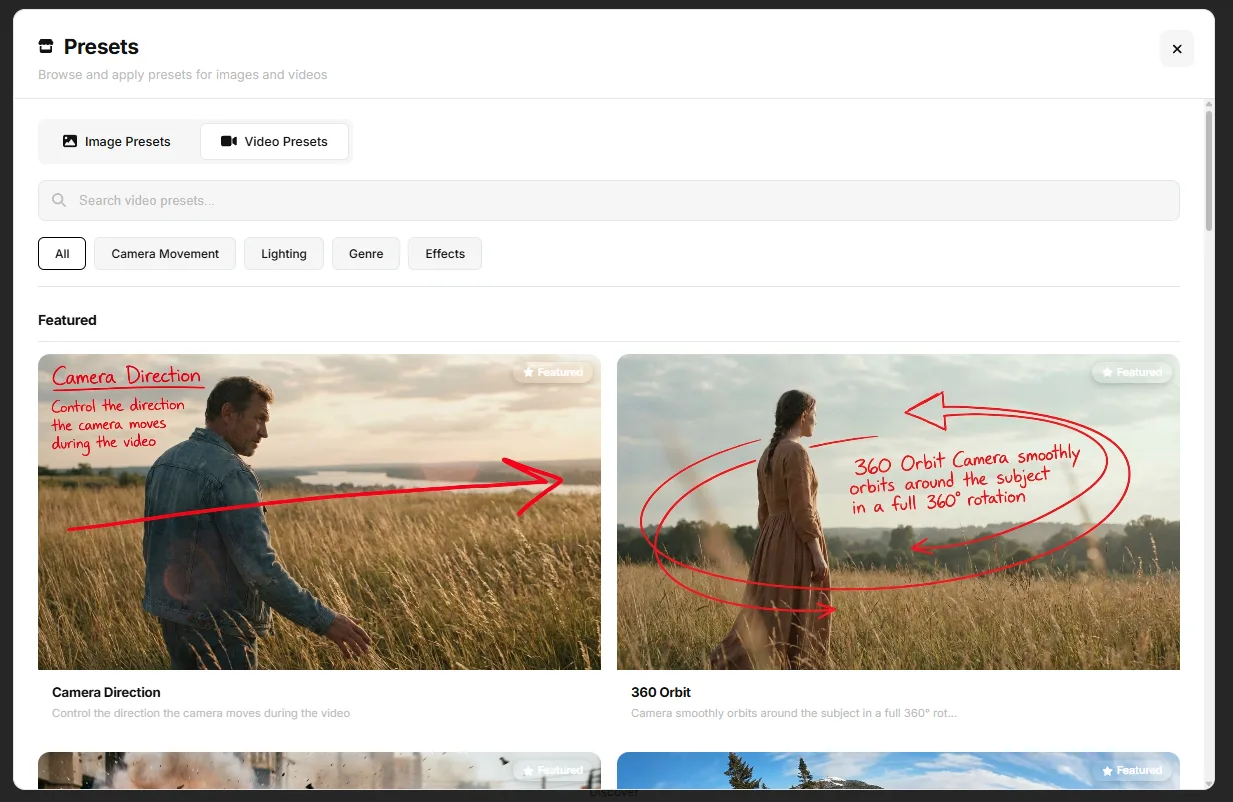
Also new to the Animate tab: Video Presets! These curated motion templates help you create cinematic video animations from your images with just one click. Simply upload your image, select a preset, and watch your static image come to life.
Video Presets are organized into four categories:
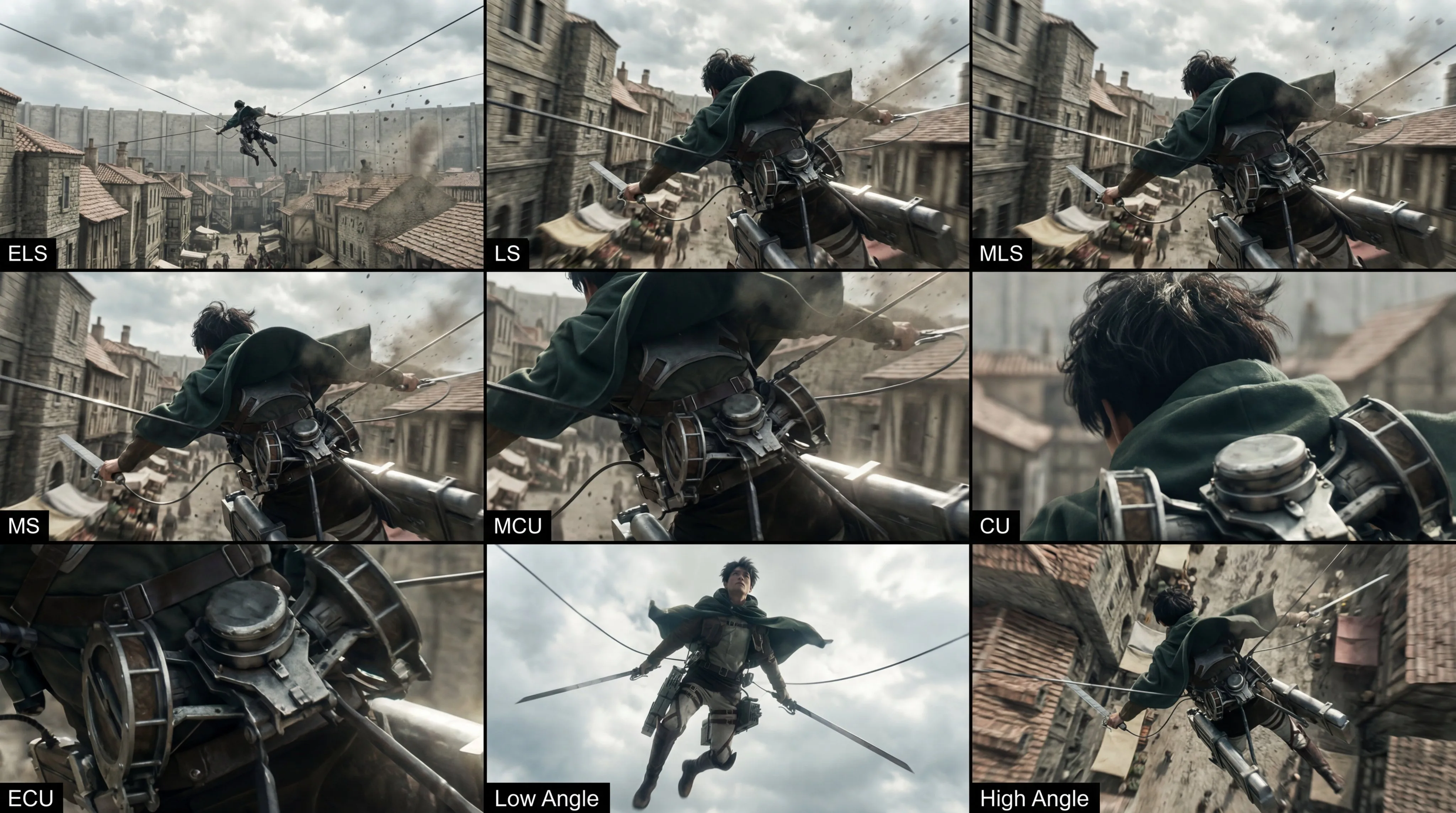
- Camera Movement: 360° Orbit, Dolly Zoom, Push In, Pull Back Reveal, Tracking Shot, Crane Shot, and more cinematic camera techniques.
- Lighting: Effects to set the perfect mood.
- Genre: Horror Atmosphere, Romantic Moment, Epic Reveal, your image into a scene from any genre.
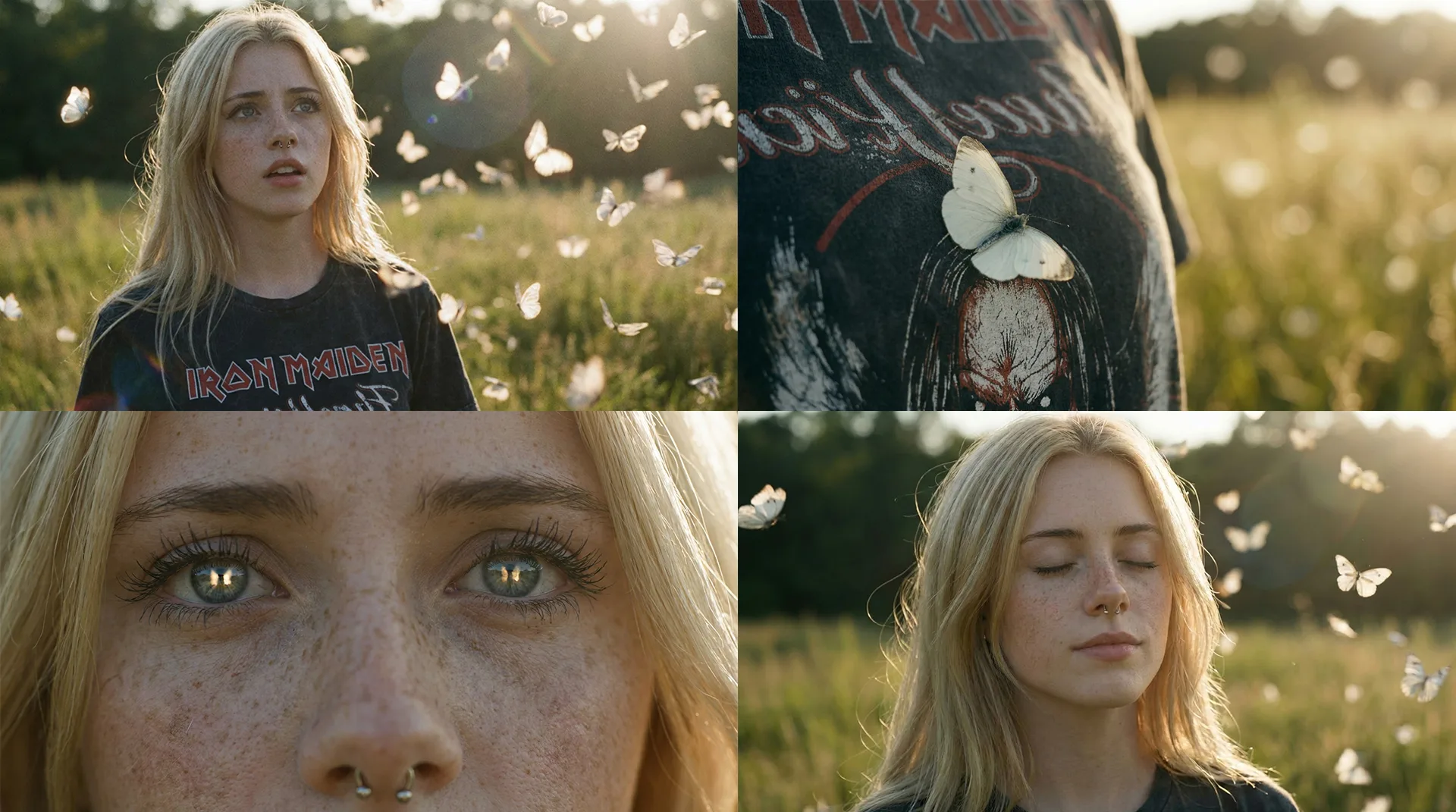
- Effects: Slow Motion, Stop Motion, and other creative visual effects.
🎨 New Prompt Improvement Tools
The "Improve Prompt" button has evolved into a powerful toolkit with four distinct options to help you craft the perfect prompt:
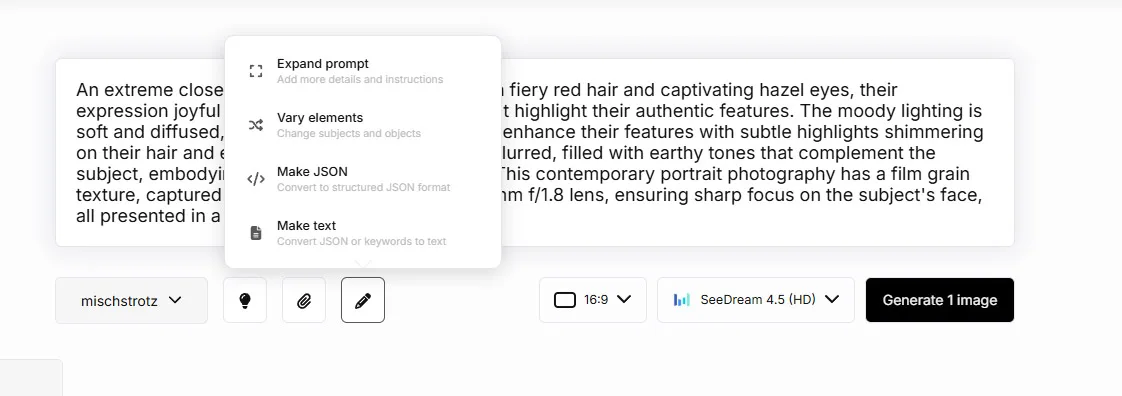
- Expand Prompt: Our original feature, now even better. Add more details and instructions to make your prompts more descriptive and generate higher quality images.
- Vary Elements: Want to explore variations? This tool changes subjects and objects in your prompt while keeping the overall style and mood intact. Perfect for brainstorming!
- Make JSON: Convert your text prompts into structured JSON format. This is ideal for advanced users who want precise control over every aspect of their generation—from lighting and composition to color profiles and technical specs.
- Make Text: The reverse of Make JSON! Convert JSON prompts or keyword-style prompts back into natural, flowing text. Great for making complex prompts more readable.
To access these new tools, simply click the pencil icon next to your prompt. A dropdown will appear with all four options. We've also increased the maximum prompt length to 10,000 characters to accommodate JSON prompts and more detailed descriptions.
⚡ Doubled Queue Limits for Subscribers
Great news for our subscribers! We've doubled the concurrent generation limits for all paid plans:
| Plan | Previous Limit | New Limit |
|---|---|---|
| Free | 3 | 3 |
| Beginner | 4 | 8 |
| Fun | 5 | 10 |
| Pro | 6 | 12 |
Organization members get an additional bonus: +2 concurrent jobs on top of their plan limits!
🖼️ Image Editing Queue System
One of our most requested features is finally here: Image Editing now has its own queue system!
Previously, you had to wait for edits to complete before starting another batch. Now you can queue up multiple edits and let them process in the background while you continue working. The same subscription-based limits apply:
- Free users: 3 concurrent edits
- Beginner: 8 concurrent edits
- Fun: 10 concurrent edits
- Pro: 12 concurrent edits
You'll see an "Images in queue" indicator when you have edits waiting, just like with image generation. Click it to clear the queue if needed.
🌟 New Model: Seedream 4.5
We're excited to introduce Seedream 4.5 from Bytedance to our model lineup! This powerful image generation model offers exceptional quality and is available in two resolution options:
- Seedream 4.5 (HD): 2K resolution at 30 credits per image
- Seedream 4.5 (4K): 4K resolution at 90 credits per image
This puts Seadream at half the price of Nano Banana Pro, making it a more affordable option for high-quality image generation.
Seedream excels at creating vibrant, detailed images with excellent composition. It also supports NSFW Image Generation.
🍌 Standard Nano Banana in Image Editing
Based on community feedback, we've added the standard Nano Banana model (gemini 2.5 flash image) as an option in Image Editing alongside Nano Banana Pro.
Why? We noticed that the standard Nano Banana sometimes delivers better character consistency in certain editing scenarios. While Nano Banana Pro excels at complex transformations and high-fidelity edits, the standard version can be more reliable when you need to maintain specific facial features or character details across edits.
You can now choose between both models in the Context Editor to get the best results for your specific use case.
Get Started
All these features are available now! Head over to letz.ai to try them out.
If you're not yet a subscriber, consider upgrading to unlock the full power of these new queue limits. Check out our pricing page to see which plan is right for you.
Happy creating!
The LetzAI Team