On August 2nd, 2026, the EU AI Act enters into force across the European Union. If you create, edit, or publish AI-generated content with LetzAI, images or videos, whether for clients, social media, advertising, or your portfolio, this is the moment to get familiar with your transparency obligations.
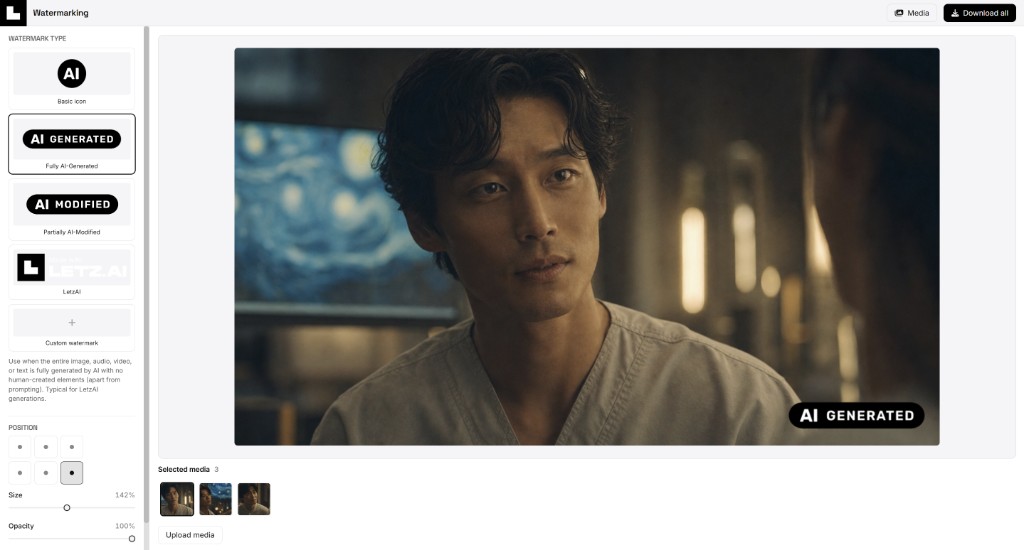
The good news: you do not need a separate design tool or a complicated export workflow. We built a dedicated Watermark Studio directly into LetzAI so you can add the recommended EU disclosure labels to one file or dozens, for both images and videos, preview the result, and download everything in your browser.
What changes on August 2?
Regulation (EU) 2024/1689 (the EU AI Act) is the world's first comprehensive AI law. It applies in stages; from August 2, key transparency rules that affect everyday creators and businesses come into sharper focus, especially for generative AI and synthetic media.
For LetzAI users, the most relevant provisions are in Article 50, which deals with transparency:
- Article 50(1): Users must know when they are interacting with an AI system. LetzAI is already designed and labeled as an AI-native platform.
- Article 50(2): Providers of generative AI must enable outputs to be identified as artificially generated or manipulated, including machine-readable marking where technically feasible.
- Article 50(4): When you publish or deploy synthetic content outside the platform (for example on Instagram, in an ad, or in a client deliverable), you may need a clear, visible disclosure that the content was AI-generated or AI-manipulated.
In practice, that last point is what most creators feel day to day. Invisible provenance signals (such as SynthID-style marking in generated files) help with traceability, but they are not a substitute for a visible label your audience can actually see before they scroll past.
The European Commission publishes optional EU disclosure icons under its Code of Practice on transparency of AI-generated content. LetzAI hosts these icons in our Watermark Studio so you can apply them without hunting down assets or rebuilding them in Photoshop.
Important: This article is for information only and does not constitute legal advice. Your exact obligations depend on how you use AI, where you publish, and what kind of content you create. For a detailed overview of how LetzAI approaches compliance, read our dedicated transparency page: EU AI Act Transparency & Compliance.
Who is responsible for what?
The EU AI Act distinguishes between providers (companies that develop or make AI systems available) and deployers (people and organizations that use those systems and publish the outputs).
- LetzAI as provider: We label AI features in the product, apply invisible provenance marking where supported by our models and pipeline, and retain generation metadata to support traceability and moderation.
- You as user or deployer: When you share LetzAI content publicly, images or videos, you are responsible for choosing an accurate disclosure label, obtaining rights and consent for any real-person likeness, and meeting platform-specific rules in your market.
Using the wrong label, or skipping visible disclosure when it is required, does not satisfy Article 50 on its own. The Watermark Studio makes the mechanics easy; choosing the correct label for your use case remains your responsibility.
Many platforms, like Facebook, Instagram, Twitter, and others have their own settings to let users add visible disclosure labels to their content. If you are using one of these platforms, you should check their policies and settings to ensure you are complying with their requirements and mark AI-generated content as such using the respective platform's tools.
Introducing the LetzAI Watermark Studio
The Watermark Studio is a standalone workspace on LetzAI for adding visible labels to images and videos before you publish them. Processing happens entirely in your browser: files are composited locally on your device and downloaded from there. Media is not uploaded to LetzAI for watermarking, and nothing is used for AI training. When you are signed in, you can also pull images and videos from your LetzAI library.
You can open the new AI Watermark Studio directly at letz.ai/watermark, or jump in from any image or video in your library via the ⋯ menu and Add watermark.
Four label options
Choose the mark that matches how AI was used. The studio includes three official EU icons plus a LetzAI attribution watermark. You can also pick Custom when you need your own label art:
| Label | When to use it |
|---|---|
 Basic icon
|
When AI was involved in creating deepfake content or published text, or alongside a custom text label (e.g. “voices generated with” + icon). |
 Fully AI-Generated
|
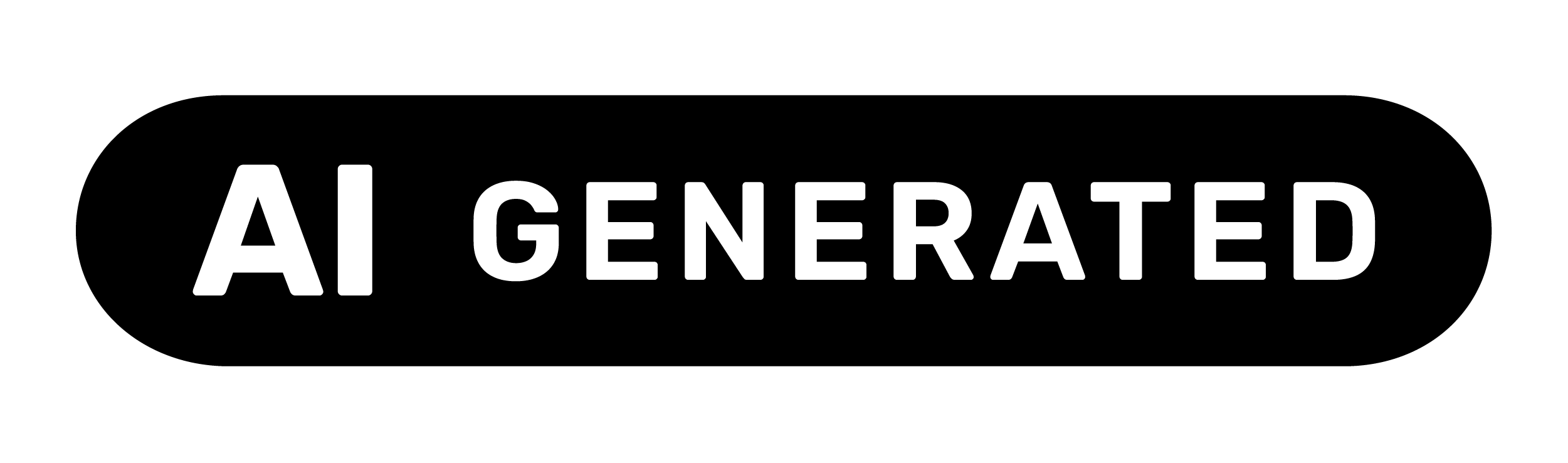
When the entire image or video is fully generated by AI with no human-created elements (apart from prompting). Typical for outputs created entirely on LetzAI. |
 Partially AI-Modified
|
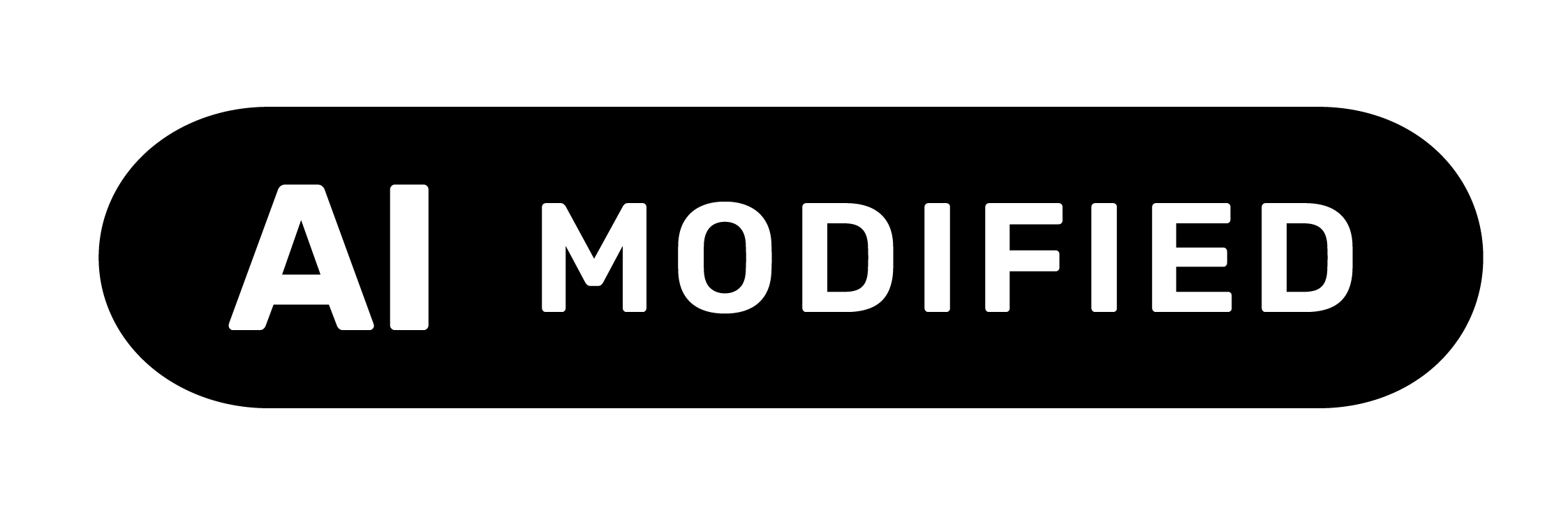
When human-made content was partially modified with AI, such as a face swap in an authentic photo or clip, or AI furnishing added to a real interior. |
 LetzAI
|
Platform attribution when you want to show content was made with LetzAI. This is not an official EU icon and does not replace EU labels where Article 50(4) requires them. |
Need a brand mark, a client-specific disclosure, or a label that is not in the EU set? Select Custom watermark in the sidebar, then upload a label image from your device or, when signed in, pick one from your LetzAI Generations or Assets library. Custom labels use the same position, size, and opacity controls as the built-in marks, and they are still composited entirely in your browser.
How to use it, step by step
- Open the studio. Go to /watermark, or open any image or video on LetzAI, click the ⋯ menu (top right of the media panel), and choose Add watermark.
- Add your content. Drag and drop local images or videos, upload from your device, or pick files from your LetzAI Generations feed or Assets library when signed in.
- Choose a label. Select one of the built-in watermarks above, or Custom to use your own image. Not sure which EU label fits? The studio shows a short hint under each option, and our EU AI Act transparency page includes examples for every official mark.
- Set position and size. Place the mark in any corner or along the top or bottom edge. Adjust size and opacity with the sliders until it is readable without dominating the frame.
- Preview and download. Click through your queue to preview each file with the watermark applied. When you are happy, hit Download all to save watermarked copies. You get one file per item, or a ZIP when you process multiple files at once. Videos are watermarked frame by frame in your browser.
Guest access: You can watermark locally uploaded images and videos without an account. Sign in to pull content from your LetzAI library and generations feed.
Why we built this now
Transparency rules are not abstract policy. They affect real workflows. A fashion brand publishing lookbook stills, an agency delivering campaign visuals and motion clips, or a freelancer posting portfolio work may all need visible AI disclosure when content leaves LetzAI.
Before the Watermark Studio, that usually meant exporting files, opening a design or video tool, placing labels manually, and repeating the process for every variant. That friction makes compliance easy to put off until the deadline is close.
Our goal with this release is simple:
- Give you the official EU icons in the correct format, ready to use
- Let you process many images and videos at once with consistent placement
- Keep everything private and fast with in-browser compositing
- Connect the tool to our living compliance documentation so you always know which label fits which scenario
No single technique is perfect in every scenario. Cropping, compression, and re-encoding can all affect robustness. That is exactly why visible disclosure still matters when you publish work externally.
Get started today
The Watermark Studio is available now, ahead of the August 2 entry into force, so you can build disclosure into your workflow before your next publish date, for stills and video alike.
- Watermark Studio: letz.ai/watermark
- EU AI Act transparency guide: letz.ai/terms/euaiact
- Content rules for real people: letz.ai/terms/contentrulesforrealpeople
If you have questions about how LetzAI handles AI governance, reach out to support@letz.ai or follow us on X/Twitter for product updates.