Today we're launching the first version of the LetzAI Canvas, a new kind of collaborative interface for AI filmmakers and professional creators.
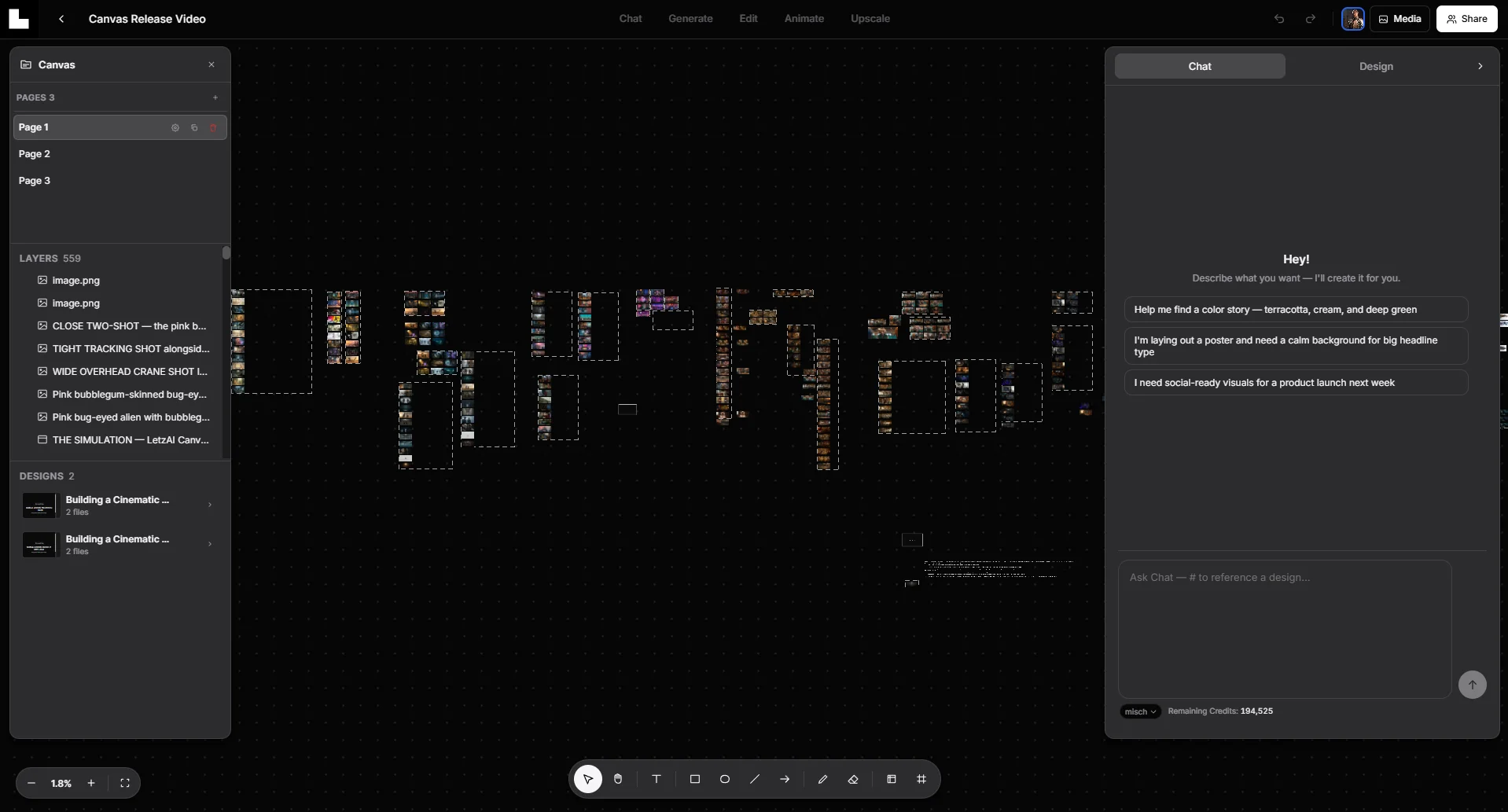
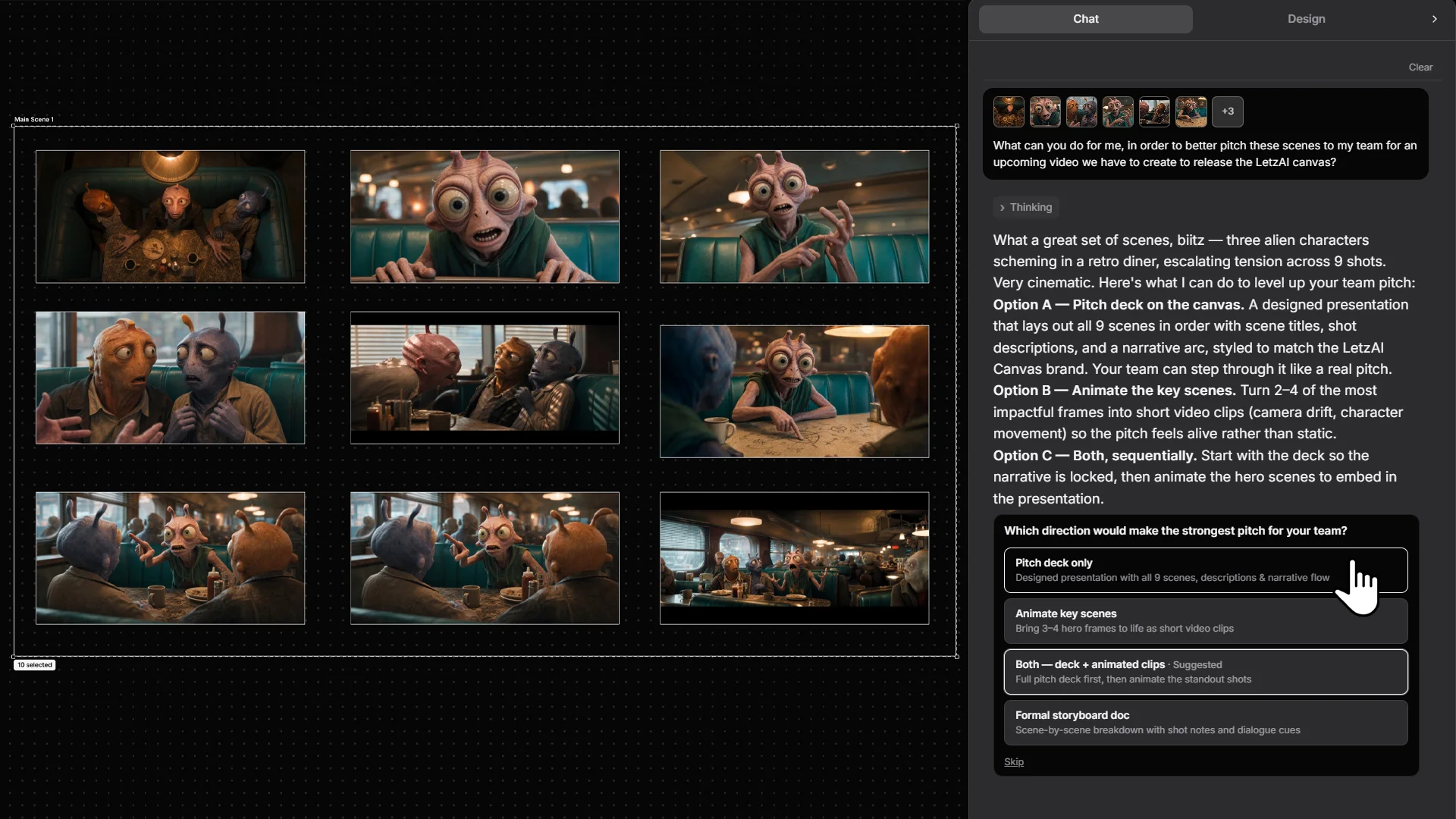
The LetzAI Canvas gives you infinite creative space to generate and edit images and videos, lay out storyboards, build entire editable pitch decks and demo websites, review work with your team, edit or share preview links with your customers, and much more.
It can generate dozens of design artifacts simultanously, allowing you to combine your outputs in new ways, and share the results with your team or customers.
Today's release marks our first step towards building a new ultimate digital design tool.
We're very excited about it.
Content, Storyboards, Pitch Decks, and Websites
The purpose of Canvas is to make content creation as efficient and fun as possible.
AI has made it faster than ever to produce new visuals, but it has not made it easier to keep a project together.
On any given day, a creator might generate shots in one tool, drop references into a folder, paste frames into a deck, send exports over email for feedback, and run a separate chat thread to iterate with AI — none of which share the same context.
We built Canvas to close that gap.
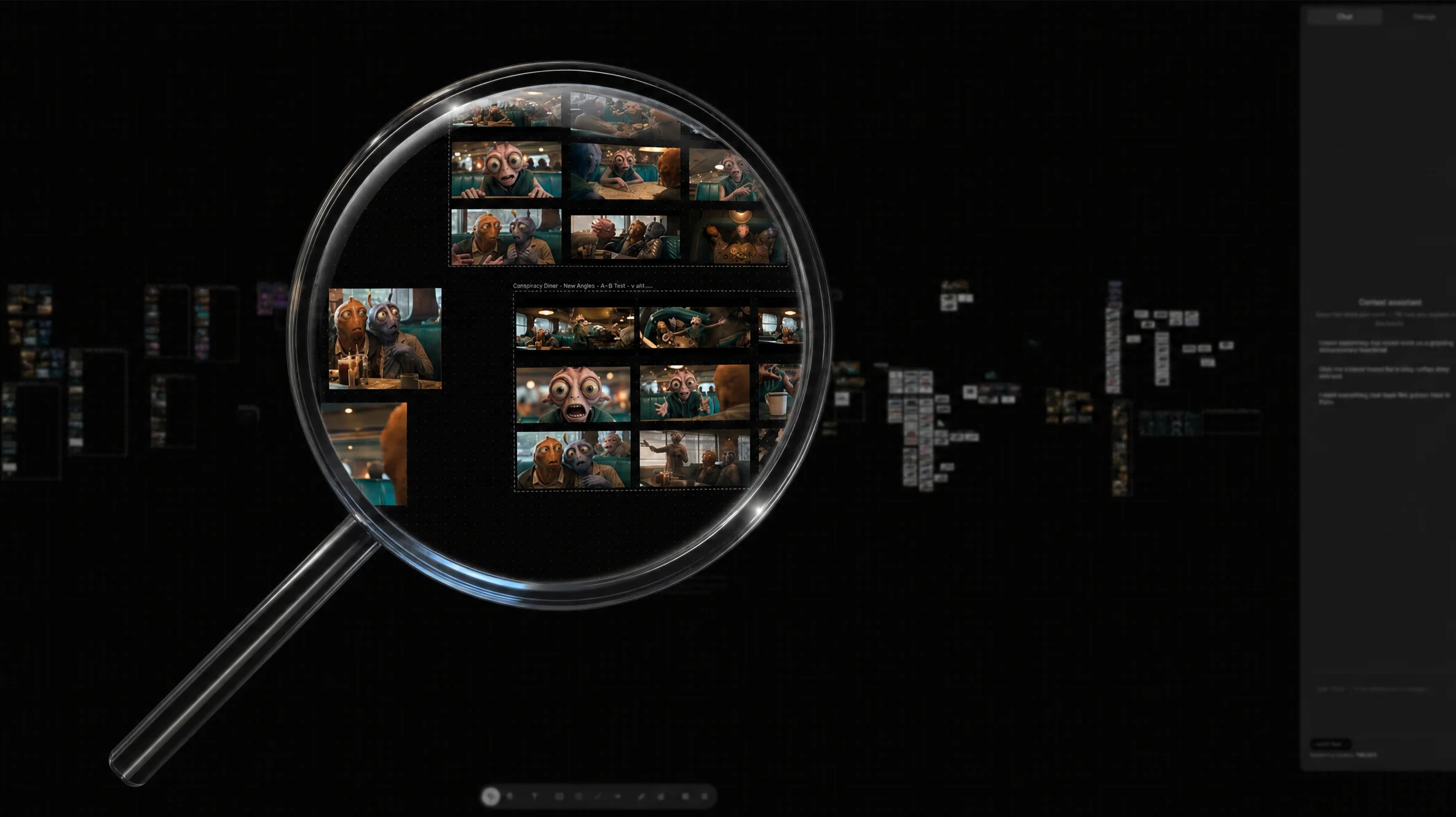
Canvas gives you infinite spatial boards: pan, zoom, arrange. Drop in reference frames. Generate hero shots. Create pitch decks. Lay out a storyboard strip. Generate websites. Animate panels into video. Compare three lighting directions or ten deck variants side by side at full size. Everything stays where you or a collaborator left it.
Getting generation, layout, review, and sharing into a single browser-based surface took serious work — performance at scale, real-time sync with collaborators, and an AI assistant that reads the board instead of starting from zero each turn. We have been using Canvas internally throughout development, and we are glad it is ready for you.
Collaboration where the work happens
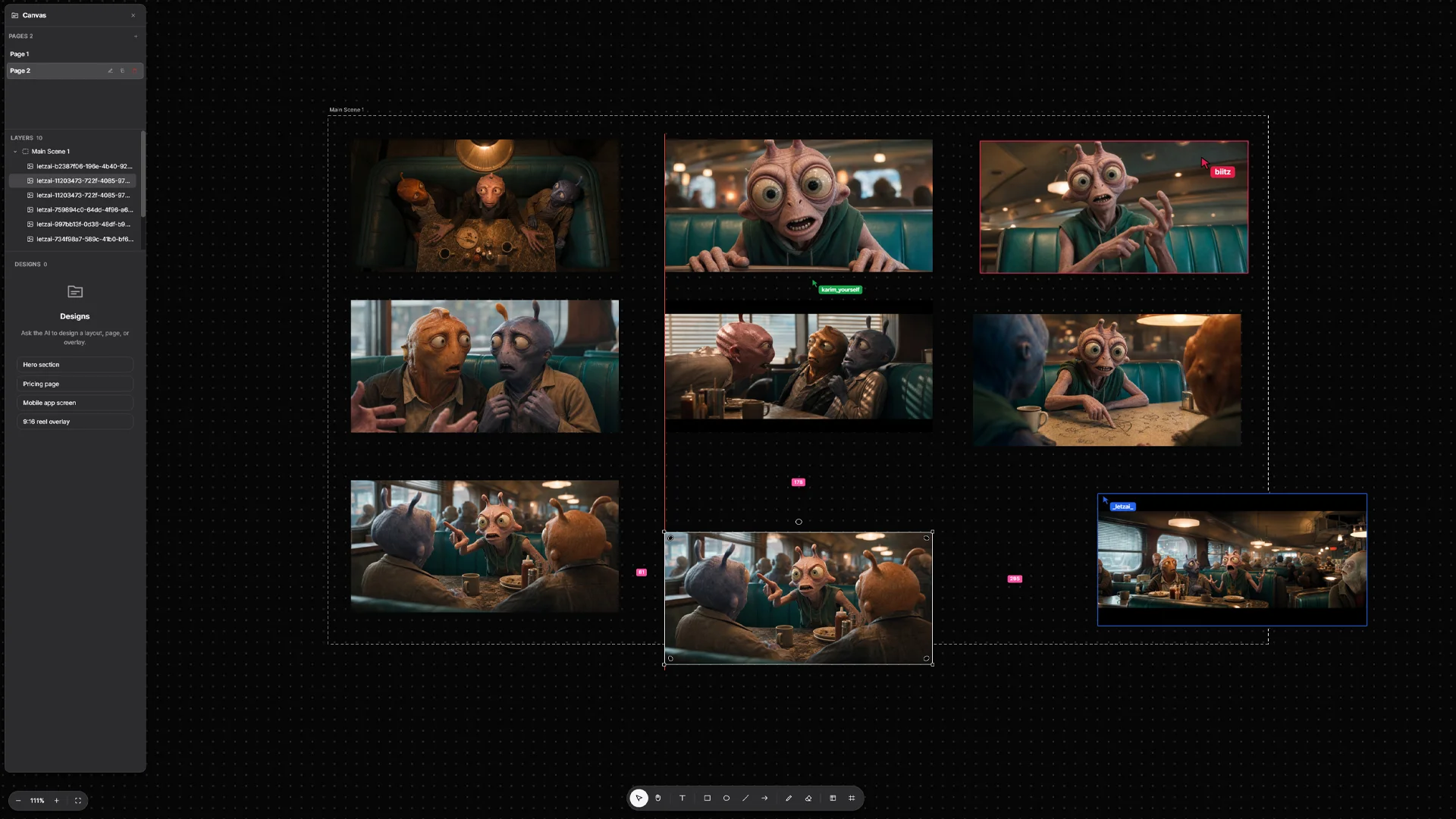
The biggest daily friction for film and content teams is not making the first frame — it is aligning on the right one.
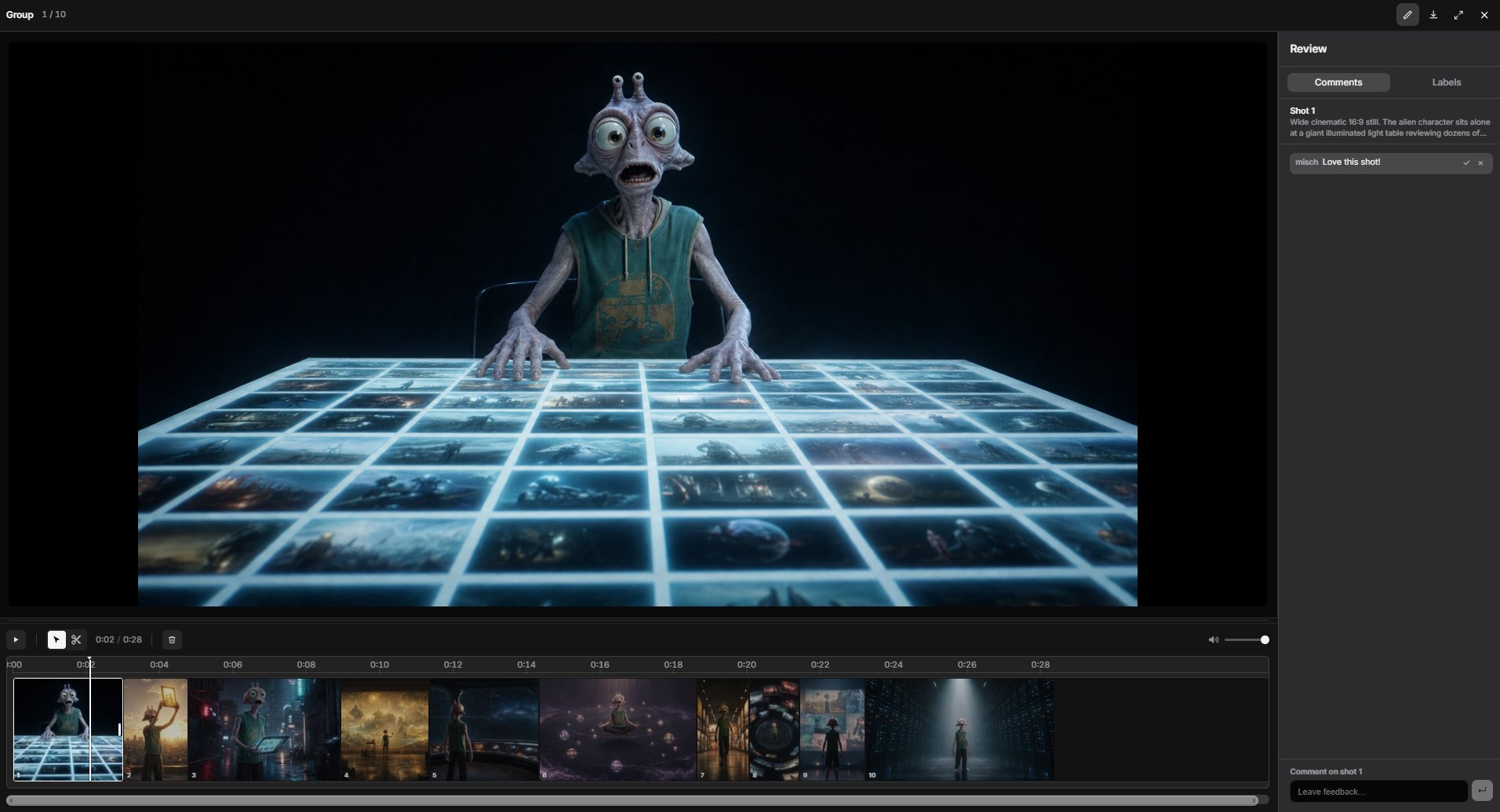
Canvas puts review on the asset. Open any section or design in Present mode to analyze shots fullscreen, with a timeline to step through stills and clips. Leave comments on an image or video directly, or shot by shot during a screening. Add colour-coded labels for approved takes, VFX notes, or alternate directions. Everyone on the board sees the same feedback on the same versions.
Need to share outside the team? Publish your artifacts and send a link on preview.letz.ai — a dedicated preview surface where stakeholders can watch and react without opening the full editor or creating an account. Share the cut, not a zip file.
Edit videos with a new integratedtimeline
Canvas lets you edit and cut your videos directly on LetzAI. Open a section in Present mode and you get a fullscreen player, a shot-by-shot timeline underneath, and transport controls to play, scrub, split, and reorder clips. Each frame on the strip is a shot you generated or placed on the canvas; drag to rearrange, trim where you need to, and watch the cut update in place.
The same review tools sit beside the timeline: comment on individual shots, tag approved takes or open notes, and keep feedback tied to the version your team is actually watching. For storyboards, animatics, and short-form cuts, you can go from generation to a watchable sequence without leaving LetzAI.
When done, you can render and export the video to your device.
An assistant that sees the board
The Canvas AI Assistant is built into the workspace.
It reads your layout, respects your selection, and can plan a storyboard, generate stills shot by shot, animate panels, pull web references onto the board, and work through longer multi-step jobs. Your generations, uploads, trained models, and past work are reachable without leaving the canvas — drag from your library, paste from the clipboard, pull from Boards, or search the web and place results straight into your layout.
The Canvas expands LetzAI's capabilities to include all the tools you need to create a full project and ship it to your customers.
Documentation
Need a reference while you explore Canvas? The LetzAI Docs hub collects guides for every product surface — generation, editing, video, collaboration, and more.
For day-to-day Canvas work, see Canvas Shortcuts for every keyboard shortcut and context-menu action in one place.
What's next
Using the Canvas requires a subscription. It is available today at letz.ai/canvas for users on any active subscription plan.
We are just getting started. In the months ahead we are focused on making preview and review features even better, deepening the assistant's production workflows for storyboards and film, and continuing to improve real-time collaboration opportunities. We're also working on adding connectors and support for backend services for websites.
We are excited to see what you will build with your Canvas.
The LetzAI Team