Video Editing Comes to LetzAI
The past weeks in AI have been wild. With many new capabilities coming up, like Google's Genie 3, Bytedance's new Seedance 2 model and more, we are excited about the future. In order to prepare LetzAI for these upcoming capabilities, we have been working hard to prepare ourselves for the future.
As a first update, today we're excited to announce the launch of our first video editing capabilities. You can now upload your existing videos and transform them using the power of AI. Whether you want to extend a clip or completely reimagine it, our new video editing tools make it possible.
All your uploaded videos will be stored under the asset tab on your profile, and all your edited videos will be stored in your gallery.
Two Powerful AI Models
We've integrated two industry-leading video AI models to give you the best results:
Google Veo 3.1 — Video Extension
Google DeepMind's Veo 3.1 is the latest advancement in AI video generation technology. We use it to power our Extend feature, which allows you to seamlessly continue your videos beyond their original length.
Key capabilities of Veo 3.1:
- Scene Extension: Continues your video narrative while maintaining character consistency and environmental continuity
- Cinematic output: Lifelike motion, natural lip-sync, and film-quality results
- Smart continuation: The AI understands your video's context and extends it naturally
Kling O3 Pro — Video Editing
Kling O3 Pro is part of the Kling V3 family by Kuaishou Technology. O3 is a new state of the art AI video model. It powers our new Video Edit feature, allowing you to transform your videos using natural language prompts.
Key capabilities of Kling O3 Pro:
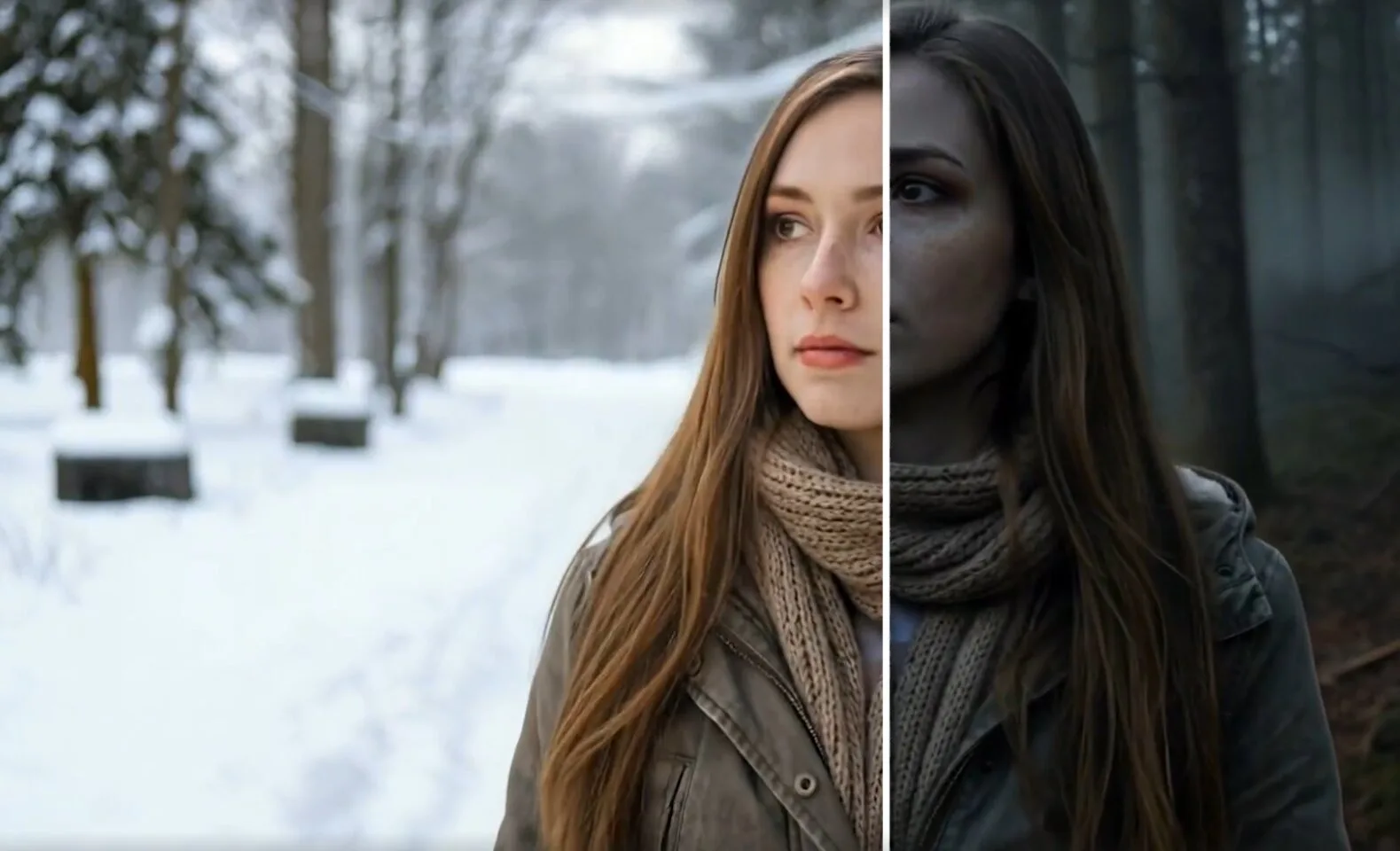
- Natural language editing: Simply describe the changes you want — "change the background to a rainy evening" or "make it look like a vintage film"
- Video-to-video transformation: Transform existing clips into entirely new styles and aesthetics
- Motion preservation: Your original video's motion and dynamics are preserved while the visuals change
- Multi-reference consistency: Maintains character and element consistency across transformations
To generate videos directly from a reference image, we recommend sticking with our normal Image-to-Video Animation workflows, which are powered by Kling V3 Pro.
How to Use Video Editing
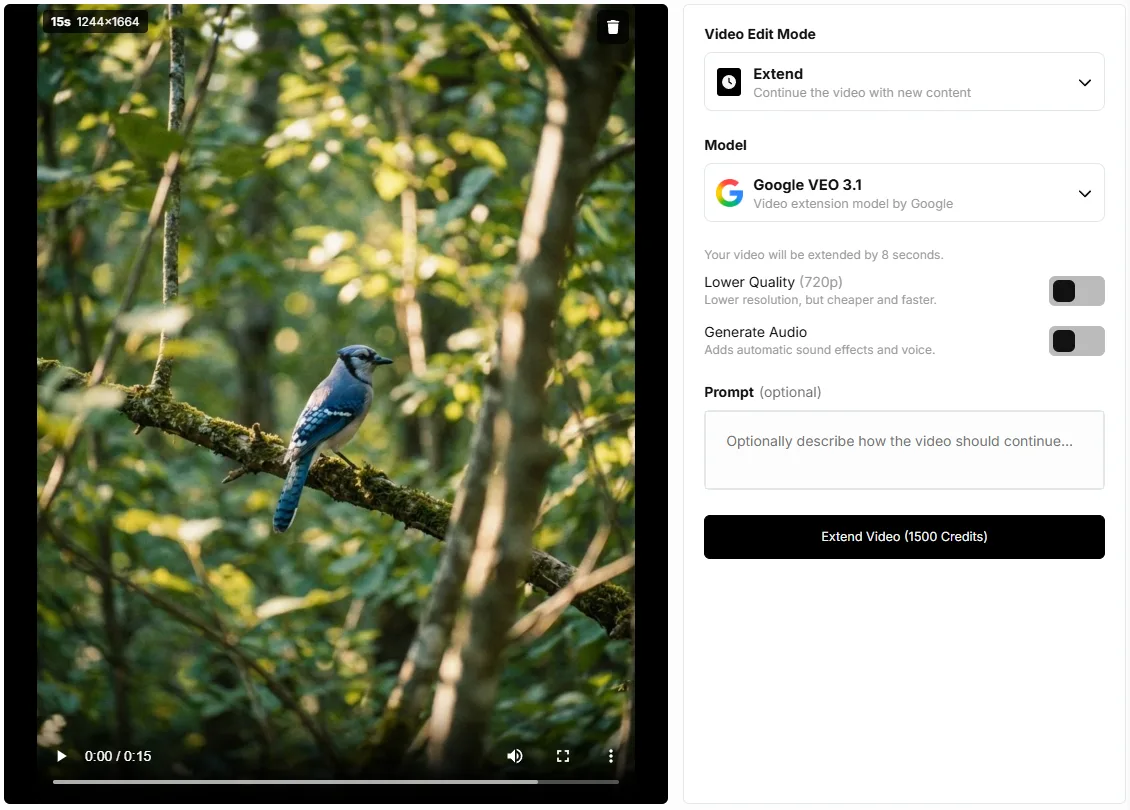
Using our new video editing features is simple:
- Go to the Edit or Animate tab on letz.ai
- Upload a video you want to edit or extend
- Choose between Edit (Kling V3) or Extend (Veo 3.1)
- For Edit mode: Enter a prompt describing how you want to transform the video
- For Extend mode: Optionally add a prompt to guide how the video should continue
- Click the button and wait for your AI-enhanced video!
Note: We plan to add more video AI models in the future to give you even more options and capabilities.
More updates and simplifactions
In order to keep LetzAI simple and easy to use in the future, with today's update, we are also retiring our old LetzAI V3 Default models, as announced in our recent blog article. This includes all five modes that have been part of LetzAI V3, and our Default video model.We believe that these models do no longer represent the state of the art in image generation and do not offer enough advantages to justify their high running costs.
Model training has been rehauled as well, and the tedious process of having to "train" a model has been replaced by our newer "instant models". This means that any AI Model you add to LetzAI will be instantly available and you can start using it immediately.
All your existing models will stay available with all the newer models, like for example Nano Banana Pro.
Users wishing to continue using a trained model outside of LetzAI can export their safetensor files now for a limited time through their model's page.
In addition to the above, we've also completely refactored our feed infrastructure. The LetzAI feed now loads significantly faster than before, especially on the homepage and profile pages.
Get Started
Video editing is available now to all LetzAI users. Head over to letz.ai and try it out!
If you have any questions or feedback about our new video editing features, please reach out to us at support@letz.ai.
Happy creating!
The LetzAI Team